For some network connections and resources, Windows has the ability to save the username and password (domain too) to allow access without having to input credentials each time.
However, I've always been a proponent of not having the machine remember passwords for security reasons. This is how to remove it:
1. Click Start and select Run
2. In the Open field type "rundll32.exe keymgr.dll, KRShowKeyMgr"
3. Once the Stored Usernames and Passwords interface opens you can select any of the entries and select Properties to view the existing information
4. To remove a saved password you can select one of the entries and select Remove. A confirmation screen will appear. Click on OK and the account will be removed
5. You can add additional saved passwords as well by clicking on the Add button and entering the appropriate information
6. Repeat the steps above as needed to add, remove or edit saved passwords
7. When you are done using the interface click the Close button
I've tested this with Windows XP and Vista. Hope that helps.
Sunday, October 05, 2008

Friday, September 19, 2008
RANTS: iPhone 3G USB Power Adapter Recall
http://www.apple.com/support/usbadapter/exchangeprogram/
Anyone else have a problem? Is Apple quality suffering because they are getting too big?
Make sure to get yours replaced. You can do it at an Apple Store starting Oct. 10 or online. For the online process, you can go here:
https://supportform.apple.com/200809/
Being as paranoid as I am, I'll probably go the store to do it so I don't have to put my address in yet another form, even though I know I'll likely be standing in line on Oct. 10.
Anyone else have a problem? Is Apple quality suffering because they are getting too big?
Make sure to get yours replaced. You can do it at an Apple Store starting Oct. 10 or online. For the online process, you can go here:
https://supportform.apple.com/200809/
Being as paranoid as I am, I'll probably go the store to do it so I don't have to put my address in yet another form, even though I know I'll likely be standing in line on Oct. 10.
Thursday, September 04, 2008
RAVES: Solver for Excel 2008
By now we all know that the latest release of Microsoft Office 2008 for Mac has left out Visual Basic support. This means tools that relied on Visual Basic are also missing. One such tool was Solver.
Fortunately, there is now an interim answer before Microsoft puts Visual Basic back in the next release of Office for Mac. A company called FrontLine Systems has come up with a solution for those of us who rely heavily on Solver. Here's the link to a Microsoft affiliate website to download the software for this new solution:
http://www.officeformac.com/blog/Solver-For-Excel-2008-Is-Available
Hope this helps.
Fortunately, there is now an interim answer before Microsoft puts Visual Basic back in the next release of Office for Mac. A company called FrontLine Systems has come up with a solution for those of us who rely heavily on Solver. Here's the link to a Microsoft affiliate website to download the software for this new solution:
http://www.officeformac.com/blog/Solver-For-Excel-2008-Is-Available
Hope this helps.
Friday, August 29, 2008
TIPS & TRICKS: Missing Address Bar Toolbar in Windows XP SP3
A well documented problem that I just recently came across. One of my users upgraded a personal Windows XP machine to Service Pack 3 and found that he was missing his address bar in the Windows taskbar. SP3 got rid of it to "comply" with anti-trust laws. I'm not sure how much I buy that, but it's plausible.
In any case, there are several third-party add-ins that address this problem (no pun intended). However, I'm documenting a native fix. Credit for this goes to Mark Kaelin over at Tech Republic. Here's the nitty gritty:
1. Find a SP2 copy of the file called browseui.dll located in ~\Windows\System32.
2. Copy it to the same location on the SP3 machine.
Make sure to this in Safe Mode as the System32 folder will not allow changes while. Also, make sure to reboot.
Here's the full directions laid out by Tech Republic:
http://blogs.techrepublic.com.com/window-on-windows/?p=683
In any case, there are several third-party add-ins that address this problem (no pun intended). However, I'm documenting a native fix. Credit for this goes to Mark Kaelin over at Tech Republic. Here's the nitty gritty:
1. Find a SP2 copy of the file called browseui.dll located in ~\Windows\System32.
2. Copy it to the same location on the SP3 machine.
Make sure to this in Safe Mode as the System32 folder will not allow changes while. Also, make sure to reboot.
Here's the full directions laid out by Tech Republic:
http://blogs.techrepublic.com.com/window-on-windows/?p=683
Thursday, August 21, 2008
TIPS & TRICKS: SAMBA Printing in OS X
http://support.apple.com/kb/HT1404
Mostly this was for myself, but might be useful for others. There's been some hiccups in printing as Apple comes out with updates. In 10.5.1, the method for adding networked Windows printers changed from the method in 10.4.x. The 10.5.2 release broke that change and in 10.5.3, everything worked again. In a previous post, I also noted that in 10.5.4 printing from Firefox was no longer working.
The key to SAMBA printing on OS X is the addresses used. The link to the Apple support page above is helpful and, mostly, I wanted to keep track of this information:
smb://user:password@workgroup/server/sharename
smb://user:password@server/sharename
smb://workgroup/server/sharename
smb://server/sharename
I may post the other steps, some of which are listed in the support page above, at a later time.
Mostly this was for myself, but might be useful for others. There's been some hiccups in printing as Apple comes out with updates. In 10.5.1, the method for adding networked Windows printers changed from the method in 10.4.x. The 10.5.2 release broke that change and in 10.5.3, everything worked again. In a previous post, I also noted that in 10.5.4 printing from Firefox was no longer working.
The key to SAMBA printing on OS X is the addresses used. The link to the Apple support page above is helpful and, mostly, I wanted to keep track of this information:
smb://user:password@workgroup/server/sharename
smb://user:password@server/sharename
smb://workgroup/server/sharename
smb://server/sharename
I may post the other steps, some of which are listed in the support page above, at a later time.
Wednesday, August 13, 2008
RANTS: Firefox 3.x Printing to Windows Printers over AD in OS X.5
We have a printing system that uses PCounter to handle accounting for individual users. Our users use Active Directory credentials to authenticate through our server to the various printers. I'm working off OS X 10.5 and using Firefox 3.0.1.
Printing from OS X 10.5 through our system throws up a window that asks for Active Directory credentials for authentication. This should occur through any application. It worked fine in Firefox 2.x. Since Firefox 3 was installed, I no longer have that option, though printing from other apps still work fine. When the print job is sent to the local queue, the user shows System Administrator, not even the name of the user who's logged in. Something in Firefox is bypassing the need for credentials and Firefox is passing along some default information.
I've already verified this on 2 different machines now. I need to investigate further.
Printing from OS X 10.5 through our system throws up a window that asks for Active Directory credentials for authentication. This should occur through any application. It worked fine in Firefox 2.x. Since Firefox 3 was installed, I no longer have that option, though printing from other apps still work fine. When the print job is sent to the local queue, the user shows System Administrator, not even the name of the user who's logged in. Something in Firefox is bypassing the need for credentials and Firefox is passing along some default information.
I've already verified this on 2 different machines now. I need to investigate further.
TIPS & TRICKS: 49.4C02 Error on HP Laserjet 2420dn
Had a user who encountered this error when printing a particular PDF (everything else printed normally). The print job stayed in the queue even after the printer was reset because the option to let the job render on the computer was checked. Deleting the print job was how I got around it. But, it still didn't allow for printing the PDF document.
The real work around ended up to be substituting the print driver. The one we were originally using was the HP Laserjet 2420 PS. Apparently, PS was not happy with this particular document. I switched the existing driver with an PCL6 driver from HP and the document printed normally.
Will need to monitor if other print jobs become a problem as a result of the driver switch.
The real work around ended up to be substituting the print driver. The one we were originally using was the HP Laserjet 2420 PS. Apparently, PS was not happy with this particular document. I switched the existing driver with an PCL6 driver from HP and the document printed normally.
Will need to monitor if other print jobs become a problem as a result of the driver switch.
Tuesday, August 12, 2008
RAVES / RANTS : iPhone, First Impressions
Here are my first impressions on the iPhone 3G:
Good:
- Synced with local contacts and calendar on Outlook. Since I kept my contacts in Outlook updated and organized, this was probably the best improvement over a separate PDA and phone combination.
- GPS is not bad for a phone. Dedicated devices are still better.
- Typing on the on-screen keyboard is better than on my old iPaq.
- The widescreen mode helps a lot when typing.
- Basic web browsing is fine. I've found lots of pages that are optimized for mobile devices and some specifically for iPhone.
- Being able to customize the home screen was a good feature.
- Conversations in SMS works well (i.e. being able to view entire conversation with a particular person in one screen as opposed to hunting for particular messages from a person) and is useful.
- Secondary reminder in calendar items is useful, especially since reminders can't be snoozed.
- Visual voicemail saves from having to listen to many messages to get to the the one you want.
- Apps store has potential.
Bad:
- Contacts and calendar items don't retain any of the categories from Outlook.
- Widescreen mode typing not available in all areas in iPhone.
- Battery is terrible. I run with 3G and wi-fi off most of the time and it's still won't make it through 2 days of normal usage.
- Anything more complicated than basic web browsing, I needed to go to computer.
- Can't do any basic editing of Excel/Word documents. Sometimes, I just need a basic spreadsheet to keep tabs of things while I'm on the go. I've been doing this fine on my 6 year old iPaq.
- Reminders can't be snoozed.
- From Apps store, I haven't found any terribly useful, yet stable apps. Would love to see a spreadsheet app.
Good:
- Synced with local contacts and calendar on Outlook. Since I kept my contacts in Outlook updated and organized, this was probably the best improvement over a separate PDA and phone combination.
- GPS is not bad for a phone. Dedicated devices are still better.
- Typing on the on-screen keyboard is better than on my old iPaq.
- The widescreen mode helps a lot when typing.
- Basic web browsing is fine. I've found lots of pages that are optimized for mobile devices and some specifically for iPhone.
- Being able to customize the home screen was a good feature.
- Conversations in SMS works well (i.e. being able to view entire conversation with a particular person in one screen as opposed to hunting for particular messages from a person) and is useful.
- Secondary reminder in calendar items is useful, especially since reminders can't be snoozed.
- Visual voicemail saves from having to listen to many messages to get to the the one you want.
- Apps store has potential.
Bad:
- Contacts and calendar items don't retain any of the categories from Outlook.
- Widescreen mode typing not available in all areas in iPhone.
- Battery is terrible. I run with 3G and wi-fi off most of the time and it's still won't make it through 2 days of normal usage.
- Anything more complicated than basic web browsing, I needed to go to computer.
- Can't do any basic editing of Excel/Word documents. Sometimes, I just need a basic spreadsheet to keep tabs of things while I'm on the go. I've been doing this fine on my 6 year old iPaq.
- Reminders can't be snoozed.
- From Apps store, I haven't found any terribly useful, yet stable apps. Would love to see a spreadsheet app.
Monday, August 04, 2008
RANTS: iShieldz iPhone 3G case protection
First of all, never buy anything in a hurry. More often times than not, I get the short end of the stick. This was definitely the case with the case protection set I purchased. The purchase was made at a kiosk called i Play Tunes UTC (V-Tex Global INC), which is right in front of the Westfield UTC shopping Center in La Jolla, CA. The product is the iPhone 3G Shieldz (ishieldz.com).
Application on the front of the screen was a breeze, though I did have a bubble that didn't seem to want to go away. My first impression was that the screen was not crystal clear at all. It seemed hazy and was definitely not as smooth to the touch as the original screen. Installation on the back was hopeless. Most of the back went down just as smooth as the front. The problem was the edges. The iPhone 3G has much more rounded edges and the edges of the film just did not want to stay down at all, almost like it wasn't specifically made for the 3G model. Also, the coverage of the back of the screen, as well as a bit of the front, leaves some areas still exposed.
Overall, I would definitely stay away from this product, especially when I ended up paying almost double for the product, when the website shows the price as almost half the price. Again, do not make purchases when you're in a hurry, especially this product. I'm going to have to try to go back to the kiosk to see if I can remedy this problem, even though the receipt says "all sales are final". Let's see how good these people really are with standing by the products they sell and taking care of the customer.
UPDATE: I was finally able to get the corners down on the back film. However, there are a ton of blemishes. In first usage after letting it sit overnight, the screen quality has degraded quite a bit over not having the screen cover. Here's a picture:

Notice the bottom of the picture. Those blemishes show up all throughout the screen when light hits it and when the device is turned on. According to the manufacturers, I'm supposed to wait a day or two. But, I highly doubt that will go away with time.
Also, my fingers don't move over the screen cover nearly as smoothly as the original screen. One positive note, is that the lack of smoothness creates a less slippery device overall. It basically adds a bit of grip to the device, which means it's less likely to slip out of my hand in normal usage.
I still have not changed my stance on this product. It's not worth the $24.99 on the website, or the $40+ that I paid for it at the mall. I may still go back to try to salvage something out of this purchase, but I may just leave this on until it degrades and I need to add a new one. Good luck.
Application on the front of the screen was a breeze, though I did have a bubble that didn't seem to want to go away. My first impression was that the screen was not crystal clear at all. It seemed hazy and was definitely not as smooth to the touch as the original screen. Installation on the back was hopeless. Most of the back went down just as smooth as the front. The problem was the edges. The iPhone 3G has much more rounded edges and the edges of the film just did not want to stay down at all, almost like it wasn't specifically made for the 3G model. Also, the coverage of the back of the screen, as well as a bit of the front, leaves some areas still exposed.
Overall, I would definitely stay away from this product, especially when I ended up paying almost double for the product, when the website shows the price as almost half the price. Again, do not make purchases when you're in a hurry, especially this product. I'm going to have to try to go back to the kiosk to see if I can remedy this problem, even though the receipt says "all sales are final". Let's see how good these people really are with standing by the products they sell and taking care of the customer.
UPDATE: I was finally able to get the corners down on the back film. However, there are a ton of blemishes. In first usage after letting it sit overnight, the screen quality has degraded quite a bit over not having the screen cover. Here's a picture:

Notice the bottom of the picture. Those blemishes show up all throughout the screen when light hits it and when the device is turned on. According to the manufacturers, I'm supposed to wait a day or two. But, I highly doubt that will go away with time.
Also, my fingers don't move over the screen cover nearly as smoothly as the original screen. One positive note, is that the lack of smoothness creates a less slippery device overall. It basically adds a bit of grip to the device, which means it's less likely to slip out of my hand in normal usage.
I still have not changed my stance on this product. It's not worth the $24.99 on the website, or the $40+ that I paid for it at the mall. I may still go back to try to salvage something out of this purchase, but I may just leave this on until it degrades and I need to add a new one. Good luck.
Monday, July 28, 2008
RAVES: Canon XSi Digital Rebel DSLR Camera
We've have this camera for about a month and a half now. We purchased the camera, at the advice of many people who have had it or its predecessors for quite some time, without any lenses. Even in retrospect, it was a good decision.
We were able to borrow the kit lens (18-55mm) that comes with camera when purchasing the more expensive kit. The original owners of the kit lens had already upgraded and didn't have a need for the kit lens anymore. We saved a bit of money and will be able to invest that into more suitable lenses. I've already discovered that I really like an extended zoom. I'm already leaning towards a telephoto lens, after having borrowed the new Canon 55-250mm lens. I found that lens to be just short of things I wanted, but a vast improvement to the kit lens, especially with the built-in image stabilization. I think, ultimately, we'll have a telephoto lens and a macro lens (for closeups) in our bag. If I can find a lens that can do both closeups and basic group shots well enough, then I'd like to keep the bag to holding just 2 lenses. At the end of the day, the "right" lens(es) will come out of deciding what I really want to shoot on a regular basis. I think there will always be some opportunities for shots that will only require a particular lens once or twice. As long as I cover the majority of what we like to shoot, I'll be content.
The quality of the shots is a vast improvement over our old point and shoot cameras. Just framing the shots is much easier. Even with the kit lens, zooming is much easier to control. I haven't started shooting in RAW mode yet, but even the JPEGs are much cleaner. I'm planning on learning how to do post-production work on the pictures, which is when I'll start shooting in RAW.

The battery lasts longer than I thought it would. The camera is much smarter about sleeping than our old cameras. Waking it up from sleep is much faster. Also, even though this model has the Live View mode, I only use the I think I'll still purchase a spare just in case.
Overall, I'm still learning how to use the camera. It's been both a joy and a learning experience. I've heard from many people that taking a basic photography class really helps in learning how to make the most of the camera. That's the next step.
We were able to borrow the kit lens (18-55mm) that comes with camera when purchasing the more expensive kit. The original owners of the kit lens had already upgraded and didn't have a need for the kit lens anymore. We saved a bit of money and will be able to invest that into more suitable lenses. I've already discovered that I really like an extended zoom. I'm already leaning towards a telephoto lens, after having borrowed the new Canon 55-250mm lens. I found that lens to be just short of things I wanted, but a vast improvement to the kit lens, especially with the built-in image stabilization. I think, ultimately, we'll have a telephoto lens and a macro lens (for closeups) in our bag. If I can find a lens that can do both closeups and basic group shots well enough, then I'd like to keep the bag to holding just 2 lenses. At the end of the day, the "right" lens(es) will come out of deciding what I really want to shoot on a regular basis. I think there will always be some opportunities for shots that will only require a particular lens once or twice. As long as I cover the majority of what we like to shoot, I'll be content.
The quality of the shots is a vast improvement over our old point and shoot cameras. Just framing the shots is much easier. Even with the kit lens, zooming is much easier to control. I haven't started shooting in RAW mode yet, but even the JPEGs are much cleaner. I'm planning on learning how to do post-production work on the pictures, which is when I'll start shooting in RAW.

The battery lasts longer than I thought it would. The camera is much smarter about sleeping than our old cameras. Waking it up from sleep is much faster. Also, even though this model has the Live View mode, I only use the I think I'll still purchase a spare just in case.
Overall, I'm still learning how to use the camera. It's been both a joy and a learning experience. I've heard from many people that taking a basic photography class really helps in learning how to make the most of the camera. That's the next step.
Thursday, July 03, 2008
TIPS & TRICKS: Word 2008 Documents Not Opening
Recently, I found that my installation of Word 2008 was not opening documents properly. Specifically, I found after double-clicking on a Word file, especially one residing on a network share, Word would launch normally. But, the only thing that would come up was a new blank document. I would close the new document and the file still wouldn't open. The only way I could get it to open was to go up to File (in Word) > Open.
That was quite annoying and, apparently, some of my users thought so too. Luckily, my boss found a fix. And, even more fortunate, the fix is bundled in the latest update for Office. The version is 12.1.1. Make sure to run your Office updates to get this. There are two ways: 1. launch an Office application and go up to Help > Check for Updates to run the Microsoft AutoUpdate tool; or 2. Go to Library\Application Support\Microsoft\MAU2.0 and launch Microsoft AutoUpdate.
That was quite annoying and, apparently, some of my users thought so too. Luckily, my boss found a fix. And, even more fortunate, the fix is bundled in the latest update for Office. The version is 12.1.1. Make sure to run your Office updates to get this. There are two ways: 1. launch an Office application and go up to Help > Check for Updates to run the Microsoft AutoUpdate tool; or 2. Go to Library\Application Support\Microsoft\MAU2.0 and launch Microsoft AutoUpdate.
Thursday, June 26, 2008
TIPS & TRICKS: Recycle San Diego
http://www.recyclesandiego.org/
I've been getting many requests for recycling and disposing of old electronics equipment. As you may already know, most electronics equipment cannot be disposed of in ordinary trash because of environmental concerns. As a result, there have been many programs that help with this process. However, many of them usually have some cost. I found this free event that is taking place this Saturday. They will often have free events sponsored by local companies (i.e. Sony).
One thing to remember for those you getting rid of old computers (or anything that might store data). Please remember to find a way to wipe your hard drives. It's quite easy these days to go into an old hard drive to retrieve enough information to steal your identity.
Good luck.
I've been getting many requests for recycling and disposing of old electronics equipment. As you may already know, most electronics equipment cannot be disposed of in ordinary trash because of environmental concerns. As a result, there have been many programs that help with this process. However, many of them usually have some cost. I found this free event that is taking place this Saturday. They will often have free events sponsored by local companies (i.e. Sony).
One thing to remember for those you getting rid of old computers (or anything that might store data). Please remember to find a way to wipe your hard drives. It's quite easy these days to go into an old hard drive to retrieve enough information to steal your identity.
Good luck.
Tuesday, June 10, 2008
RAVE: Vendor punts coin-operated Wi-Fi base-station | Register Hardware
http://www.reghardware.co.uk/2008/06/09/handlink_wi_fi/
I'm not sure I would have imagined hearing coin-operated and wi-fi in the same sentence. But, here you go. I really like this idea, especially if it's designed well. It's definitely a niche product, but it's a good niche and would work well for small and medium-sized businesses who don't want to deal with credit card transactions and other forms of payment in, say, a coffee shop.
Another feature I'd like to see on this unit is the ability to upgrade. 802.11b/g will be replaced at some point and I would hate to see an investment go into something that isn't upgradeable.
Here's a link to the manufacturer's website:
http://www.handlink.com.tw/eng/products/kiosk/wi-fi_kiosk_ks852.htm
I'm not sure I would have imagined hearing coin-operated and wi-fi in the same sentence. But, here you go. I really like this idea, especially if it's designed well. It's definitely a niche product, but it's a good niche and would work well for small and medium-sized businesses who don't want to deal with credit card transactions and other forms of payment in, say, a coffee shop.
Another feature I'd like to see on this unit is the ability to upgrade. 802.11b/g will be replaced at some point and I would hate to see an investment go into something that isn't upgradeable.
Here's a link to the manufacturer's website:
http://www.handlink.com.tw/eng/products/kiosk/wi-fi_kiosk_ks852.htm
Monday, May 12, 2008
TIPS & TRICKS: OS X Leopard Eject Superdrive Icon
Recently, I found an new icon on my taskbar on my Macbook Pro running OS X 10.5. The icon looks like this:

My first thought was how do I get rid of it? Here's how:
- Hold the alt/option key down.
- Navigate the mouse up to the icon.
- Click/hold the icon and drag it off the bar.
My second thought was how to restore it? Here's how:
- Navigate to System\Library\CoreServices\Menu Extras
- Click/hold the Eject.menu file.
- Drag it up to the upper right-hand portion of the task bar (near the clock).
- Drop it between any of the existing icons (much like adding an icon to the dock).
I'm not quite clear how mine just appeared, but I realized that on certain machines (i.e. desktop Macs with Superdrives that have trays), it can be a useful feature.

My first thought was how do I get rid of it? Here's how:
- Hold the alt/option key down.
- Navigate the mouse up to the icon.
- Click/hold the icon and drag it off the bar.
My second thought was how to restore it? Here's how:
- Navigate to System\Library\CoreServices\Menu Extras
- Click/hold the Eject.menu file.
- Drag it up to the upper right-hand portion of the task bar (near the clock).
- Drop it between any of the existing icons (much like adding an icon to the dock).
I'm not quite clear how mine just appeared, but I realized that on certain machines (i.e. desktop Macs with Superdrives that have trays), it can be a useful feature.
Wednesday, April 09, 2008
RANT: TaxCut & eFiling
It's that time of the year that causes feelings of anxiety and despair. I normally do well around this time. But, this year, I have to document my experience with TaxCut software.
I've used TaxCut the last several years, mostly because I can get MS Money for free. That seems to be going away, as I only found one place that makes that offer now (Staples), which I took advantage of this year.
In using the store-purchased version of TaxCut Premium + State + E-file, my spouse's adjusted gross income (AGI) is rejected as a signature because it doesn't match what the IRS has on file. I've called the IRS and verified that it is the correct one, but the return is still rejected. This leads me to believe that there is a problem with the software and/or the H&R Block servers that process the returns to send off to the IRS. I pay for the convenience to be able to submit everything electronically, yet I'm not able to submit it.
This, along with the inability to get MS Money for free, may cause me to switch to another tax software, or find a tax accountant next year.
I've used TaxCut the last several years, mostly because I can get MS Money for free. That seems to be going away, as I only found one place that makes that offer now (Staples), which I took advantage of this year.
In using the store-purchased version of TaxCut Premium + State + E-file, my spouse's adjusted gross income (AGI) is rejected as a signature because it doesn't match what the IRS has on file. I've called the IRS and verified that it is the correct one, but the return is still rejected. This leads me to believe that there is a problem with the software and/or the H&R Block servers that process the returns to send off to the IRS. I pay for the convenience to be able to submit everything electronically, yet I'm not able to submit it.
This, along with the inability to get MS Money for free, may cause me to switch to another tax software, or find a tax accountant next year.
Tuesday, March 25, 2008
TIPS & TRICKS: Install Firefox Extensions for All Users
Looking for a way to install helpful Firefox extensions across all users? Fortunately, Firefox has a command line tool to do just that. I've confirmed this works for Windows XP and Vista. I have not tried it on other OSs.
Here are the steps:
1. Download the extension to your computer (don't do an install from within Firefox).
2. Make note of where the extension is saved (it will be a .xpi file).
3. Start a command window (Windows XP: Start > Run > cmd; Windows Vista: Start > cmd; for Vista, you may need to run the command window as an Administrator).
4. Here's the command to type at the command prompt:
firefox.exe -install-global-extension "path"
(i.e. firefox.exe. -install-global-extension "C:\Temp\extension.xpi")
I found that if it doesn't work, then you may need to navigate to the folder where Firefox is actually installed. Also, note that there is a space between firefox.exe and -install..., but no spaces between the install and the next hypen or global and the following hypen. Finally, the quotes are necessary around the path name.
5. There won't be a prompt of any kind, but you should be able to test it by logging in as different users to see the extension installed.
This link was helpful in my original search for an answer:
http://www.tinsie.net/Recommended/?p=902
Here are the steps:
1. Download the extension to your computer (don't do an install from within Firefox).
2. Make note of where the extension is saved (it will be a .xpi file).
3. Start a command window (Windows XP: Start > Run > cmd; Windows Vista: Start > cmd; for Vista, you may need to run the command window as an Administrator).
4. Here's the command to type at the command prompt:
firefox.exe -install-global-extension "path"
(i.e. firefox.exe. -install-global-extension "C:\Temp\extension.xpi")
I found that if it doesn't work, then you may need to navigate to the folder where Firefox is actually installed. Also, note that there is a space between firefox.exe and -install..., but no spaces between the install and the next hypen or global and the following hypen. Finally, the quotes are necessary around the path name.
5. There won't be a prompt of any kind, but you should be able to test it by logging in as different users to see the extension installed.
This link was helpful in my original search for an answer:
http://www.tinsie.net/Recommended/?p=902
Thursday, March 13, 2008
TIPS & TRICKS: Lost Sound on a MacBook
Had a student bring her MacBook to me and said that the sound just stopped working. I checked the OS X System Preferences for Sound > Output and found only the Digital Out option available. The built-in audio was missing, which also doesn't allow headphones to work. She was carrying a set of headphones on her.
Here's a list of symptoms I found:
- no sound
- audio controls on keyboard would bring up icon on screen but could not change audio levels
- missing built-in audio in System Preferences > Sound > Output
- red light coming out of the sound jack on the side of the MacBook
Macs have become more advanced. They used to only have analog output and many low-end Windows notebooks only have analog output (you get what you pay for). But, all the Macs now have the ability to convert to accept digital output connections.
In order to move between digital and analog output on the same port, there's a tiny switch in the port that recognizes the plug that is inserted. However, that switch will sometimes get confused and get stuck, which is what happened in this case.
THE FIX:
Something must be inserted into the port to make the switch move back to the desired position, in this case, analog. One way to do it is put the headphones' jack into the port and wiggle it around. This doesn't always work. I've found that a smaller tool in there would work better. I'm not too fond of sticking metal things (i.e. paper clips) into ports, so I used the straw from a can of compressed air. I inserted the straw into sound port and wiggled it around a little as I watched the window in System Preferences > Sound > Output. You should see it change Digital Out to Internal Speakers (Built-in Audio) and the red light, which indicates a digital connection, go off.
Hope this helps someone. Good luck.
By the way, I found this macrumors.com forum posting that had some other folks who experienced the same problem.
http://forums.macrumors.com/archive/index.php/t-237405.html
Here's a list of symptoms I found:
- no sound
- audio controls on keyboard would bring up icon on screen but could not change audio levels
- missing built-in audio in System Preferences > Sound > Output
- red light coming out of the sound jack on the side of the MacBook
Macs have become more advanced. They used to only have analog output and many low-end Windows notebooks only have analog output (you get what you pay for). But, all the Macs now have the ability to convert to accept digital output connections.
In order to move between digital and analog output on the same port, there's a tiny switch in the port that recognizes the plug that is inserted. However, that switch will sometimes get confused and get stuck, which is what happened in this case.
THE FIX:
Something must be inserted into the port to make the switch move back to the desired position, in this case, analog. One way to do it is put the headphones' jack into the port and wiggle it around. This doesn't always work. I've found that a smaller tool in there would work better. I'm not too fond of sticking metal things (i.e. paper clips) into ports, so I used the straw from a can of compressed air. I inserted the straw into sound port and wiggled it around a little as I watched the window in System Preferences > Sound > Output. You should see it change Digital Out to Internal Speakers (Built-in Audio) and the red light, which indicates a digital connection, go off.
Hope this helps someone. Good luck.
By the way, I found this macrumors.com forum posting that had some other folks who experienced the same problem.
http://forums.macrumors.com/archive/index.php/t-237405.html
Monday, March 03, 2008
TIPS & TRICKS: Office 2007 installation fix
Here are the preliminary facts:
- Windows XP, including latest updates
- Office 2003, including latest updates
Error messages encountered:
- "Product: Microsoft Office (Version) -- Error 1704. An installation for Microsoft Office (Version) is currently suspended. You must undo the changes made by that installation to continue. Do you want to undo those changes?"
- After clicking Yes and waiting for awhile, this message comes up: "Error 1712.One or more of the files required to restore your computer to its previous state could not be found. Restoration will not be possible."
The real problem here was that the laptop that was running the Office 2007 installer to upgrade Office 2003 and the notebook ran out of juice (wrong power supply was used, which meant that it was running solely off battery). The installation process was interrupted and left in an unusable state. Office was no longer listed in the list for Add/Remove Programs. Running the Office 2007 installation did not recognize that we still wanted to upgrade, which meant that it didn't recognize a usable version of Office on the machine.
The Fix:
This involves a registry hack. As usual, editing the registry incorrectly could cause Windows to function incorrectly. Please make sure to backup your registry settings before making any changes. Ultimately, use these instructions at your own risk.
The registry key is:
HKEY_LOCAL_MACHINE\Software\Microsoft\Windows\CurrentVersion\Installer\InProgress
I deleted the key entirely, rebooted, then ran the Office 2007 installation again. If I had to go back, I would go in and delete all the files related to Office in Program Files and any installation files to create a clean environment for the new Office 2007 installation.
Nevertheless, this worked for me. Hope this helps someone else.
- Windows XP, including latest updates
- Office 2003, including latest updates
Error messages encountered:
- "Product: Microsoft Office (Version) -- Error 1704. An installation for Microsoft Office (Version) is currently suspended. You must undo the changes made by that installation to continue. Do you want to undo those changes?"
- After clicking Yes and waiting for awhile, this message comes up: "Error 1712.One or more of the files required to restore your computer to its previous state could not be found. Restoration will not be possible."
The real problem here was that the laptop that was running the Office 2007 installer to upgrade Office 2003 and the notebook ran out of juice (wrong power supply was used, which meant that it was running solely off battery). The installation process was interrupted and left in an unusable state. Office was no longer listed in the list for Add/Remove Programs. Running the Office 2007 installation did not recognize that we still wanted to upgrade, which meant that it didn't recognize a usable version of Office on the machine.
The Fix:
This involves a registry hack. As usual, editing the registry incorrectly could cause Windows to function incorrectly. Please make sure to backup your registry settings before making any changes. Ultimately, use these instructions at your own risk.
The registry key is:
HKEY_LOCAL_MACHINE\Software\Microsoft\Windows\CurrentVersion\Installer\InProgress
I deleted the key entirely, rebooted, then ran the Office 2007 installation again. If I had to go back, I would go in and delete all the files related to Office in Program Files and any installation files to create a clean environment for the new Office 2007 installation.
Nevertheless, this worked for me. Hope this helps someone else.
Tuesday, November 27, 2007
TIPS & TRICKS: Firefox, Bouncing Web Pages
I came across an odd phenomenon today. Everything else on the computer being normal, web pages in Firefox would bounce up and down, much like if I were moving the scroll wheel up and down rapidly. The user came in and said that it started happening when he made adjustments to toolbars. Thus, I went in and adjusted settings for toolbars and found that the built-in Firefox Bookmark Toolbar, at least on that machine, required at least one bookmark in it or it would show the bouncing behavior. The other alternative is to hide the Bookmark Toolbar altogether.
Tuesday, November 20, 2007
RAVES: Fixit Guide Series - DIY Mac & iPod Repair
Great site for do-it-yourself repairs for Macs. I've used this site quite a few times. The guides they offer are full color, quite descriptive, and easy to follow. Highly recommended.
http://www.ifixit.com/Guide/
http://www.ifixit.com/Guide/
RAVES: Immersive Media Streaming Immersive Demos
At the risk of sounding like a biased Googlite, this is a great "behind-the-scenes" look at the raw recording of Google Maps Street View. Some of the on-board components are merely off-the-shelf pieces. Amazing.
http://demos.immersivemedia.com/fvdemo_1/data/CylindricalFlashPlayerDemoSite/PopularMechanicsNYCDriveAlong/PopularMechanicsNYCDriveAlong.php
http://demos.immersivemedia.com/fvdemo_1/data/CylindricalFlashPlayerDemoSite/PopularMechanicsNYCDriveAlong/PopularMechanicsNYCDriveAlong.php
Saturday, November 17, 2007
TIPS & TRICKS: Optical drives not recognizing in Windows XP
This has been a fix that's been around for some time, but I hadn't documented here until now. The optical drive(s) do not show up in either My Computer or Disk Management. In Device Manager, the drive(s) show up with yellow exclamation points. There is also and error message that says the following: "Windows cannot start this hardware device because its configuration information (in the registry) is incomplete or damaged. (Code 19)"
1. Click Start.
2. Click Run.
3. In the "Open" field type REGEDIT.
4. Click OK.
5. Click "File" in the menu bar.
6. Click "Export" from the drop down menu this will open a new box.
7. Click the down arrow beside "Save In" and select "Local Disk (C".
8. In the File Name field type BACKUP.REG.
9. Verify that under the “Export Range”, that the radio button is beside "All".
10. Click Save.
11. Click the plus sign (+) beside HKEY_LOCAL_MACHINE.
12. Click the plus sign (+) beside System.
13. Click the plus sign (+) beside CurrentControlSet.
14. Click the plus sign (+) beside Control.
15. Click the plus sign (+) beside Class.
16. In the left hand window pane click on {4D36E965-E325-11CE-BFC1-08002BE10318} to select that key.
17. In the right hand window pane select the UpperFilters registry key and press the delete key on the keyboard.
18. Confirm with an OK.
19. In the right hand window pane select the LowerFilters registry key and press the delete key on the keyboard.
20. Confirm with an OK.
21. Click the "X" in the upper right hand corner of the Registry Editor window to close it.
Restart your Computer in order for the registry - fix to work.
1. Click Start.
2. Click Run.
3. In the "Open" field type REGEDIT.
4. Click OK.
5. Click "File" in the menu bar.
6. Click "Export" from the drop down menu this will open a new box.
7. Click the down arrow beside "Save In" and select "Local Disk (C".
8. In the File Name field type BACKUP.REG.
9. Verify that under the “Export Range”, that the radio button is beside "All".
10. Click Save.
11. Click the plus sign (+) beside HKEY_LOCAL_MACHINE.
12. Click the plus sign (+) beside System.
13. Click the plus sign (+) beside CurrentControlSet.
14. Click the plus sign (+) beside Control.
15. Click the plus sign (+) beside Class.
16. In the left hand window pane click on {4D36E965-E325-11CE-BFC1-08002BE10318} to select that key.
17. In the right hand window pane select the UpperFilters registry key and press the delete key on the keyboard.
18. Confirm with an OK.
19. In the right hand window pane select the LowerFilters registry key and press the delete key on the keyboard.
20. Confirm with an OK.
21. Click the "X" in the upper right hand corner of the Registry Editor window to close it.
Restart your Computer in order for the registry - fix to work.
Thursday, November 15, 2007
RAVES: A First Look at the Google Phone
This looks quite promising for the future of cell phones. With a software platform that works well, we could definitely see "phones" take off with much more user-friendly features than what we have today. Personally, I have found that most multimedia features on today's phones are a bit cumbersome. They work for the most part, but they definitely have a long way to go before they can be considered ready for the masses. This may be the catalyst to get this progress moving in the right direction.
Make sure to take a look at the videos here:
http://bits.blogs.nytimes.com/2007/11/12/a-first-look-at-the-google-phone/?ref=technology
Make sure to take a look at the videos here:
http://bits.blogs.nytimes.com/2007/11/12/a-first-look-at-the-google-phone/?ref=technology
RANTS: Techdirt: Verizon Wireless Apparently Still Can't Train Its Sales People In Basic Math
I'm not completely convinced this is a Verizon problem. I vaguely recall that I was taught basic math in grade school. Last time I checked, I'm pretty sure that Verizon wasn't administering grade-school classes. Thank goodness because they might try to sign me up for a long-term contract that I would have to pay to cancel early.
http://techdirt.com/articles/20071114/115632.shtml
http://techdirt.com/articles/20071114/115632.shtml
Monday, November 12, 2007
RANTS: Bureau warns on tainted discs
This is unbelievable. I'd say that I'm more paranoid that most and I take good precautions to protect myself from those who would do me harm. But, I do recognize that some precautions are unnecessary, until you find out something like this. When will this madness end?
http://www.taipeitimes.com/News/taiwan/archives/2007/11/11/2003387202
http://www.taipeitimes.com/News/taiwan/archives/2007/11/11/2003387202
Thursday, October 04, 2007
RANTS: Windows Vista Wireless Connection
I came across a Gateway notebook running Windows Vista, which has trouble connecting to some access points (it worked on some but not others). I wish I could say that this was specific to this machine, but it seems to be a widespread Vista problem. There are different theories as to the cause, but the symptoms are the same:
1. Windows shows that the internal wireless card is connected to the wireless network.
2. But, machine doesn't receive and IP address.
3. Instead it gets an autoconfigured address beginning with 169.x.x.x.
4. The machine shows its access as "Local only"
I've tried all kinds of resets, including ARP cache, TCP/IP stack, DNS flush, and IP renew. I've also tried disabling IPv6 and the registry hacks documented by Microsoft here:
http://support.microsoft.com/kb/928233
and configuration settings, also documented by Microsoft here:
http://support.microsoft.com/kb/928152
A simple search of Vista wireless problems documents the countless number of people having this issue. The machine does connect with other access points, but the one where I need it to work is failing. How long do we need to wait for a fix?
Update: Just came across a new suggestion: disable IPv6.
1. Windows shows that the internal wireless card is connected to the wireless network.
2. But, machine doesn't receive and IP address.
3. Instead it gets an autoconfigured address beginning with 169.x.x.x.
4. The machine shows its access as "Local only"
I've tried all kinds of resets, including ARP cache, TCP/IP stack, DNS flush, and IP renew. I've also tried disabling IPv6 and the registry hacks documented by Microsoft here:
http://support.microsoft.com/kb/928233
and configuration settings, also documented by Microsoft here:
http://support.microsoft.com/kb/928152
A simple search of Vista wireless problems documents the countless number of people having this issue. The machine does connect with other access points, but the one where I need it to work is failing. How long do we need to wait for a fix?
Update: Just came across a new suggestion: disable IPv6.
Wednesday, October 03, 2007
TIPS & TRICKS: Frequently Used Programs list is reset to defaults during every logon in Windows Vista
In Windows Vista, when the start menu is clicked, there's a list of programs, which reflect the most recently used programs. I came across a machine that reset this list to a default list. The default list included Welcome Center, Windows Media Center, Windows Media Player, Windows Photo Gallery, Windows DVD Maker, Windows Calendar, and Windows Meeting Space.
I tried clearing it by, first removing all the existing icons manually, then by clearing the list through unchecking the box for "Store and display a list of recently opened programs" for Start Menu Properties. Neither method withstood a restart.
The cause turned out to be an improperly set registry value (thanks a lot Gateway). The registry value is called StartMenuInit. Here are the instructions:
- Click Start, type regedit.exe and press ENTER
- Navigate to the following location:
HKEY_CURRENT_USER \ Software \ Microsoft \ Windows \ CurrentVersion \ Explorer \ Advanced
- In the right-pane, create a new DWORD value named StartMenuInit
- Double-click StartMenuInit and set 3 its data
- Close Regedit.exe
Hope that helps someone. Good luck.
I tried clearing it by, first removing all the existing icons manually, then by clearing the list through unchecking the box for "Store and display a list of recently opened programs" for Start Menu Properties. Neither method withstood a restart.
The cause turned out to be an improperly set registry value (thanks a lot Gateway). The registry value is called StartMenuInit. Here are the instructions:
- Click Start, type regedit.exe and press ENTER
- Navigate to the following location:
HKEY_CURRENT_USER \ Software \ Microsoft \ Windows \ CurrentVersion \ Explorer \ Advanced
- In the right-pane, create a new DWORD value named StartMenuInit
- Double-click StartMenuInit and set 3 its data
- Close Regedit.exe
Hope that helps someone. Good luck.
Wednesday, August 08, 2007
TIPS & TRICKS: Sophos Stand-Alone Installation Error 3057
In trying to install the Sophos Anti-Virus onto a Windows Vista machine using a stand-alone installer, I ran into an error message towards the end of the installation. An error message popped up that said the following:
Error 3057: There was an unexpected error while attempting to create, repair or delete a user account. Contact your support personnel.
Well, I am the support personnel. Where do I go for help? For once, tech support over the phone actually worked. I called Sophos and they had a fix. It was registry modification, which didn't sit well with me because that usually means it'll affect many users for us. But, that's another problem for another day.
For now, here's the modification:
1. Open Regedit
2. Open HKEY_LOCAL_MACHINE
3. Open Software
4. Check the Permissions for Software to make sure the Administrators group is explicitly listed and has full permissions. There are a few other keys to check for permissions also. They are:
HKLM>Software>Classes
HKLM>Software>Classes>Interface
HKLM>Software>Classes>Interface>TypeLib
HKLM>Software>Sophos
But, the one that needed to modified for me was the first one.
5. Next, open Computer Management
6. Go to Users
7. Delete any entries that start with "SophosSAU..."
8. Finally, reattempt the reinstallation and it should work now.
Update: Found that if the HKLM>Software registry shows the Everyone group with full permissions and nothing else, then the above fix key works. However, if the permissions already shows the Administrators group, then the problem lies elsewhere.
Error 3057: There was an unexpected error while attempting to create, repair or delete a user account. Contact your support personnel.
Well, I am the support personnel. Where do I go for help? For once, tech support over the phone actually worked. I called Sophos and they had a fix. It was registry modification, which didn't sit well with me because that usually means it'll affect many users for us. But, that's another problem for another day.
For now, here's the modification:
1. Open Regedit
2. Open HKEY_LOCAL_MACHINE
3. Open Software
4. Check the Permissions for Software to make sure the Administrators group is explicitly listed and has full permissions. There are a few other keys to check for permissions also. They are:
HKLM>Software>Classes
HKLM>Software>Classes>Interface
HKLM>Software>Classes>Interface>TypeLib
HKLM>Software>Sophos
But, the one that needed to modified for me was the first one.
5. Next, open Computer Management
6. Go to Users
7. Delete any entries that start with "SophosSAU..."
8. Finally, reattempt the reinstallation and it should work now.
Update: Found that if the HKLM>Software registry shows the Everyone group with full permissions and nothing else, then the above fix key works. However, if the permissions already shows the Administrators group, then the problem lies elsewhere.
Sunday, June 03, 2007
TIPS & TRICKS: More OS X Keyboard Shortcuts
I've mentioned this time and again. I'm a fan of using keyboard if it's faster than reaching for the mouse. OS X has some great shortcuts and here's 2 more.
To be able to select from the available menu items in the application you are using:
CTRL-F2
To be able to select shortcuts in your dock:
CTRL-F3
Enjoy!
2012/01/21 Update: Apparently, these keyboard shortcuts no longer work in Lion (OS X 10.7+). No solutions for a custom mapping, as I'm a fan of native keyboard shortcuts because I'm often on someone else's computer. However, there are ways to customize the keyboard shortcuts by going to System Preferences > Keyboard > Keyboard Shortcuts.
To be able to select from the available menu items in the application you are using:
CTRL-F2
To be able to select shortcuts in your dock:
CTRL-F3
Enjoy!
2012/01/21 Update: Apparently, these keyboard shortcuts no longer work in Lion (OS X 10.7+). No solutions for a custom mapping, as I'm a fan of native keyboard shortcuts because I'm often on someone else's computer. However, there are ways to customize the keyboard shortcuts by going to System Preferences > Keyboard > Keyboard Shortcuts.
Friday, April 20, 2007
RANT: Can't select links on Firefox (OS X) with Alt-Tab
Being a Windows user first, I've always loved being able to tab through to all the different links in a web browser. When I hit tab, the selection will highlight each link on the web page. I was also able to discover that alt-tab does the same thing in Safari on Mac OS X.
My gripe is that I can't do this in Firefox on the Mac. Is it that hard to do? I suppose if I had programming skills, I could go and try it myself. But I'm still learning those skills and would love it if this simple feature could already be available, especially when the alt-tab function isn't even used in Firefox.
To be fair, I can see that if it's added on the Mac side, then the Windows side would likely have it too. This would take away Windows ability to switch between applications. Trade-offs I suppose.
My gripe is that I can't do this in Firefox on the Mac. Is it that hard to do? I suppose if I had programming skills, I could go and try it myself. But I'm still learning those skills and would love it if this simple feature could already be available, especially when the alt-tab function isn't even used in Firefox.
To be fair, I can see that if it's added on the Mac side, then the Windows side would likely have it too. This would take away Windows ability to switch between applications. Trade-offs I suppose.
Wednesday, April 18, 2007
TIPS & TRICKS: Microsoft Updates for April 2007
Microsoft, generally, releases their updates to Windows on the second Tuesday of every month. Generally, I don't see many problems. However, after this last round of updates, I've been finding that machines have been slowing down to the point that they are unusable. Another symptom has been an error message with the following message:
svchost.exe - Application Error : The instruction at "0x745f2780" referenced memory at "0x00000070"". The memory could not be "read".
After a bit of research, I've discovered that Microsoft knows about the problem and has a fix for it. Here are the links to their knowledge base articles. The latter is all I needed for my own fixes.
http://support.microsoft.com/kb/916089
http://support.microsoft.com/kb/927891
Happy computing.
svchost.exe - Application Error : The instruction at "0x745f2780" referenced memory at "0x00000070"". The memory could not be "read".
After a bit of research, I've discovered that Microsoft knows about the problem and has a fix for it. Here are the links to their knowledge base articles. The latter is all I needed for my own fixes.
http://support.microsoft.com/kb/916089
http://support.microsoft.com/kb/927891
Happy computing.
Friday, January 19, 2007
TIPS & TRICKS: Missing Microsoft Equation Editor in Office 2004
Had a student come in today and report that Microsoft Equation was missing from the Word application. This normally shows up in Word under the Insert > Object menu. I suppose this isn't a frequently occurring problem so I didn't find anything online about how to get it back in. But, rest assured, it's easier than solving a Rubik's Cube for a Cube champion.
As long as you have the original install CD, the file for Equation Editor resides in Microsoft Office 2004 > Office. Just copy the file called Equation Editor to the same location where you have Office 2004 installed on your computer (usually, Macintosh HD > Applications > Microsoft Office 2004 > Office). I even did it with Word open and it worked. I would recommend shutting Word down and the reopening it when done. But that's it.
Good luck.
As long as you have the original install CD, the file for Equation Editor resides in Microsoft Office 2004 > Office. Just copy the file called Equation Editor to the same location where you have Office 2004 installed on your computer (usually, Macintosh HD > Applications > Microsoft Office 2004 > Office). I even did it with Word open and it worked. I would recommend shutting Word down and the reopening it when done. But that's it.
Good luck.
Wednesday, January 03, 2007
TIPS & TRICKS: svchost.exe -- application error the instruction at "0x745f2780"
A faculty member went home before the end-of-the-year holiday break with a brand new machine that I installed our software packages on. The machine worked perfectly when it left here. It just came back here today and he reports that the machine receives the following message:
svchost.exe -- application error the instruction at "0x745f2780" reference memory at "0x00000000". the memory could not be 'read'
There was also another message, but this was the pertinent one. As soon as the error message was closed, the machine became unusable. Since it was working just fine before it left my possession, I assumed that he installed something to break the Windows install.
I first tried booting into Safe Mode. It booted with no problems. I then turned off all startup items and booted the machine into normal Windows. Error message still came up. This was going to be a problem with the core OS. Not wanting to waste more time, I searched the web for the error message. The first hit was this [swigartconsulting.blogs.com].
Amazing, that the first hit gave me the solution. Apparently, the problem was corruption in the Windows Update process. The easy solution to try was to turn off Automatic Updates, run Windows Updates (or Microsoft Updates), then turn Automatic Updates back on. There's also a more in-depth fix listed on the website above. However, the easy one worked for me.
svchost.exe -- application error the instruction at "0x745f2780" reference memory at "0x00000000". the memory could not be 'read'
There was also another message, but this was the pertinent one. As soon as the error message was closed, the machine became unusable. Since it was working just fine before it left my possession, I assumed that he installed something to break the Windows install.
I first tried booting into Safe Mode. It booted with no problems. I then turned off all startup items and booted the machine into normal Windows. Error message still came up. This was going to be a problem with the core OS. Not wanting to waste more time, I searched the web for the error message. The first hit was this [swigartconsulting.blogs.com].
Amazing, that the first hit gave me the solution. Apparently, the problem was corruption in the Windows Update process. The easy solution to try was to turn off Automatic Updates, run Windows Updates (or Microsoft Updates), then turn Automatic Updates back on. There's also a more in-depth fix listed on the website above. However, the easy one worked for me.
Tuesday, December 12, 2006
TIPS & TRICKS: Windows File Sharing Without Internet Access
I came across a special case of connecting 2 machines, OS X and Windows XP, to do file sharing. The Windows machine needs to be able to share its files to the OS X machine but not have internet access.
First make sure all the standard File Sharing protocols are setup on each machine. On the OS X machine make sure that Windows Sharing is turned on and a separate account for network file sharing is setup.
On the Windows side, make sure that the Windows Firewall (and/or any other firewall) allows File and Printer Sharing. Then, designate a folder to be shared. I would also create a separate account for sharing here too.
The most important part of this process is manually assigning the Windows machine a valid IP address (usually one that the router will normally handout) and subnet, but leave out the gateway address.
First make sure all the standard File Sharing protocols are setup on each machine. On the OS X machine make sure that Windows Sharing is turned on and a separate account for network file sharing is setup.
On the Windows side, make sure that the Windows Firewall (and/or any other firewall) allows File and Printer Sharing. Then, designate a folder to be shared. I would also create a separate account for sharing here too.
The most important part of this process is manually assigning the Windows machine a valid IP address (usually one that the router will normally handout) and subnet, but leave out the gateway address.
Wednesday, November 22, 2006
TIPS & TRICKS: Clearing saved credentials in Windows XP
In the office, we have students connecting to our server for file sharing. This connection also doubles as authentication for printing. However, we had a student who had printing setup using one of our admin's credentials. Those credentials got saved and constantly let's the user print as someone other than herself. So I had to find a way to clear those credentials. Here's the command:
rundll32.exe keymgr.dll, KRShowKeyMgr
Here's a link [windowsnetworking.com].
rundll32.exe keymgr.dll, KRShowKeyMgr
Here's a link [windowsnetworking.com].
Saturday, November 11, 2006
RANT: Wireless keyboard/mice and KVMs
I consult. My clients look to me to give recommendations that are simple, but above all reliable. Why isn't there a KVM solution out there that will work reliably with wireless keyboard and mice? I would think that with all the data that can be crammed onto electrical circuit boards these days, someone would come up with a kvm switch that has all the data it needs to handle any keyboard/mouse combination. I can understand if there are some extra buttons that may not function without extra steps or software. But we all know that there are many basic functions on a keyboard and mouse that are standard across all units (i.e. 104 keys on the keyboard, right/left click and scroll on a mouse).
I'm doing some work for a general contractor at his house. We're putting in a new machine, but keeping his old machine. Since both machines need to be functional and easily accessible via a single keyboard/mouse/display, I need to find a KVM solution. The display has DVI. They have a wireless keyboard/mouse set. I'm looking for a KVM solution that has DVI and USB capabilities.
Belkin makes one in their SOHO series. I've seen nothing but bad reviews. "Stay away!" is what I've been told on that one. Since I purchased that one while picking up a couple other things for them, I'm going to have to return it. I've tried KVMs from IOGEAR but haven't had much success with anything other than standard keyboard/mice and VGA display connections. Since I use a higher-end Avocent switch in my server room at the office, I checked them out. But, they've said that wireless keyboard/mice aren't supported.
In the end, I'm going to have to replace the current wireless keyboard/mouse with wired equivalents (keyboard needs to be ergonomic), use the VGA connection on the display, and go with a basic KVM. I'll probably go with a Microsoft Natural Ergonomic Keyboard 4000, standard USB optical mouse that came with the new machine, VGA connection from the display, and a yet-to-be-decided KVM (I haven't even addressed the fact that a printer needs to be shared and single audio would be nice too).
I'm doing some work for a general contractor at his house. We're putting in a new machine, but keeping his old machine. Since both machines need to be functional and easily accessible via a single keyboard/mouse/display, I need to find a KVM solution. The display has DVI. They have a wireless keyboard/mouse set. I'm looking for a KVM solution that has DVI and USB capabilities.
Belkin makes one in their SOHO series. I've seen nothing but bad reviews. "Stay away!" is what I've been told on that one. Since I purchased that one while picking up a couple other things for them, I'm going to have to return it. I've tried KVMs from IOGEAR but haven't had much success with anything other than standard keyboard/mice and VGA display connections. Since I use a higher-end Avocent switch in my server room at the office, I checked them out. But, they've said that wireless keyboard/mice aren't supported.
In the end, I'm going to have to replace the current wireless keyboard/mouse with wired equivalents (keyboard needs to be ergonomic), use the VGA connection on the display, and go with a basic KVM. I'll probably go with a Microsoft Natural Ergonomic Keyboard 4000, standard USB optical mouse that came with the new machine, VGA connection from the display, and a yet-to-be-decided KVM (I haven't even addressed the fact that a printer needs to be shared and single audio would be nice too).
Thursday, October 19, 2006
TIPS & TRICKS: 100% CPU and spoolsv.exe
As soon as your Windows XP machine boots up, you find that the CPU cycles (from Task Manager) reaches 100% and slows the machine to a crawl. Under Processes you see that the culprit is a service called spoolsv.exe. This process is a necessary process that helps send print jobs to a printer.
Before we say that this problem is due to a virus, take a look at all your print queues in Printers & Faxes. Look for any print jobs sitting in any of the queues that have errors in them. Delete those print jobs if you don't need them. These print jobs are the likely cause of the 100% CPU utilization.
Next make sure that none of the print queues are shared out on your computer. Usually, you can determine this by seeing if there is a hand under the printer icon. If there is a hand, right click on the printer icon and choose Sharing. Disable print sharing. This is necessary because this prevents other users on your local network from accidentally printing to the queues on your computer.
Finally, there is a possibility that the spoolsv.exe service could be harboring a virus. That's another tip. For now try this. Good luck.
Before we say that this problem is due to a virus, take a look at all your print queues in Printers & Faxes. Look for any print jobs sitting in any of the queues that have errors in them. Delete those print jobs if you don't need them. These print jobs are the likely cause of the 100% CPU utilization.
Next make sure that none of the print queues are shared out on your computer. Usually, you can determine this by seeing if there is a hand under the printer icon. If there is a hand, right click on the printer icon and choose Sharing. Disable print sharing. This is necessary because this prevents other users on your local network from accidentally printing to the queues on your computer.
Finally, there is a possibility that the spoolsv.exe service could be harboring a virus. That's another tip. For now try this. Good luck.
Tuesday, October 10, 2006
TIPS & TRICKS: Error in trying update Windows XP after installing Microsoft Update
Here's the error message I received:
"The website has encountered a problem and cannot display the page you are trying to view..."
Apparently, there are many error codes that might go along with it. It will show to the upper right of the above message. There may be other issues on the machine generating the error, including firewall issues and other blocks. But, the fix that worked for me was using the ipconfig /flushdns command.
Here's how to run it...
- Hit Start
- Click on Run
- Type "cmd" in the Run dialogue box
- When the command window comes up, type ipconfig /flushdns at the command prompt and hit enter
- Close the command window
Try running Windows Update (or Microsoft Update) again. Good luck.
"The website has encountered a problem and cannot display the page you are trying to view..."
Apparently, there are many error codes that might go along with it. It will show to the upper right of the above message. There may be other issues on the machine generating the error, including firewall issues and other blocks. But, the fix that worked for me was using the ipconfig /flushdns command.
Here's how to run it...
- Hit Start
- Click on Run
- Type "cmd" in the Run dialogue box
- When the command window comes up, type ipconfig /flushdns at the command prompt and hit enter
- Close the command window
Try running Windows Update (or Microsoft Update) again. Good luck.
Friday, October 06, 2006
TIPS & TRICKS: FAT32, HFS+, and Copying Files
Sometimes I feel the need to go run into a wall. In attempting to backup a PowerMac G4 to an external HD, I found that I encountered errors in copying. The biggest annoyance with drag and drop method of backing up files on any system is poorly named files and folders. On both Mac OS and Windows, when such files and folders are encountered the OS stops the copying process and doesn't back up anything beyond the problematic file/folder. Often times I'd love for it to just skip the file and continue copying. I'd much rather have most everything and miss one file then skipping all those files.
The first problem I came across in OS X.3 were file names that containted a foward slash ("/"). Some OSs understand this character as part of a path to a location (i.e. HD/You Folder/Another Folder/A File.doc). This can be fixed with just renaming the file/folder by removing the character. In fact, there are utilites out there, depending on your OS, can help you find all those potential naming problems and fix them before the copy process. I've never used one because the problems I've run across are relatively small in number and can be done by hand.
The second problem that caused me some frustration was not quite as obvious. The error message I received was:
"You cannot copy the item Icon... because the name is too long or includes characters that the disk cannot display"
I kept going through files trying to find the culprit file and removing it. Needless to say, there were too many. It was not going to work with the previous method of renaming the file. However, I was on the wrong path all together. What I finally got around to figuring out was that the external HD I was using was formatted FAT32, instead of the Mac OS HFS+ format.
After I found another drive and reformatted it for exclusive use on Mac OS, everything copied over without a hitch. The problem really resided in that I keep my drives formatted FAT32 because I want to be able to use it across both Mac OS and Windows. However, some files in Mac OS just won't copy properly onto FAT32 to prevent problems.
Moral of the story, pay attention to the source as well as the destination.
The first problem I came across in OS X.3 were file names that containted a foward slash ("/"). Some OSs understand this character as part of a path to a location (i.e. HD/You Folder/Another Folder/A File.doc). This can be fixed with just renaming the file/folder by removing the character. In fact, there are utilites out there, depending on your OS, can help you find all those potential naming problems and fix them before the copy process. I've never used one because the problems I've run across are relatively small in number and can be done by hand.
The second problem that caused me some frustration was not quite as obvious. The error message I received was:
"You cannot copy the item Icon... because the name is too long or includes characters that the disk cannot display"
I kept going through files trying to find the culprit file and removing it. Needless to say, there were too many. It was not going to work with the previous method of renaming the file. However, I was on the wrong path all together. What I finally got around to figuring out was that the external HD I was using was formatted FAT32, instead of the Mac OS HFS+ format.
After I found another drive and reformatted it for exclusive use on Mac OS, everything copied over without a hitch. The problem really resided in that I keep my drives formatted FAT32 because I want to be able to use it across both Mac OS and Windows. However, some files in Mac OS just won't copy properly onto FAT32 to prevent problems.
Moral of the story, pay attention to the source as well as the destination.
Tuesday, September 05, 2006
TIPS & TRICKS: Creating Signatures In Outlook
howto-outlook.com: Creating Signatures
I was searching for how to make Outlook show images in an HTML email and came across this website that shows how to create signatures and what occurs in Outlook when a signature is created. For me, the most important tip was to make sure that the image/logo to be included in the signature should be in the same folder as the actual signature file.
I haven't had a chance to search the rest of the website, but it seems like a good place to look for Outlook questions. I may have to pass this along to my users here at the office.
I was searching for how to make Outlook show images in an HTML email and came across this website that shows how to create signatures and what occurs in Outlook when a signature is created. For me, the most important tip was to make sure that the image/logo to be included in the signature should be in the same folder as the actual signature file.
I haven't had a chance to search the rest of the website, but it seems like a good place to look for Outlook questions. I may have to pass this along to my users here at the office.
Saturday, September 02, 2006
RANT: Motorola i870 on Nextel Service
I've had the i870 for several months now. Basic usage of the phone seems to work without any problems. It's the extras services that are giving me some problems. Specifically, any internet-related services including websites and AIM yield some sort of problem.
Basic usage of the phone is an improvement over the i60 I had before. Sound quality and volume are better. Nice to have a color screen and a better lit keypad, not to mention bigger keys. It took me a little time to get it, but I eventually got the data cable for it and loaded some ringtones on there too. I still wouldn't trade picture quality with a real camera, but it's nice to take a random pic every so often and low quality video too.
I haven't hit any storage limits, but the phone only includes a 32MB card. I generally set the phone to take pics at the highest resolution. I've only got about 10-15 pics on the card, 8-10 ringtones, and a couple of minute-long videos.
Now on to the problems. In the beginning, I tried as many of the online features I could find. For me, the 2 that really stood out as useful were the internet and instant messaging via AIM. My first impression of internet usage on the phone has not changed much with further usage. First, the Nextel system basically makes it feel like surfing on a dialup connection. I can't remember the last time I used a dialup connection but the phone connection is significantly slower than any broadband connection I've used recently. Also, the small screen creates a tough viewing situation, especially for websites that aren't optimized for mobile phones. Also, I've found visiting some sites yields a "500: Web service error", followed by a "1019: Compile error". I've tried many different things to see if it would solve the problem, including resetting the phone, restarting internet connection, and testing it on a different device.
Next, I logged into AIM. The first thing I noticed was that my exisiting buddy lists did not transfer over. To alleviate this problem, I found that I had to add buddies I had previously onto a new list called Mobile Device. If I didn't, then I couldn't see whether someone was online while using the phone. Furthermore, in the beginning I was able to receive messages from others without incident. But, recently, I've discovered that some special characters causes the phone to either receive the "Web service error" or have the message get truncated. Any message I receive that has an apostrophe (i.e. that's) will cause the message to get cut off starting at the apostrophe. This becomes quite frustrating, making the service almost useless.
With these 2 problems, I've tried visiting a regular Nextel store for answers. There I was able to test the internet problem and found that it seemed to work okay on the store model. At this point, I decided that the problem was with my phone. The CSR at the store suggested that I give Customer Service a call. I spent hours on the phone and was pushed up to level 3 support. They couldn't figure out my problem and suggested that I visit the Nextel service center to have them check out the phone. At the service center, I briefly explained my problems to them (where I found that a particular website that always generated the Web service error now worked fine) and left them the phone to check out. When I returned to the service center, I was given a completely new phone. Not surprisingly, the AIM problem did not resolve itself.
Ultimately, I'm sure I'll run into the Web service errors with other sites again. The AIM problem still perisists, which Nextel service center techs want to blame on the network. Either way, it doesn't work as it should. Whether it's the hardware or the network, it's still a problem that Nextel should take responsibility for if they are getting people to pay for their service. At this point, I don't feel like they own this problem. I'm left to fend for myself. If it weren't for the need for the radio service, I'd switch away from this service all together.
Basic usage of the phone is an improvement over the i60 I had before. Sound quality and volume are better. Nice to have a color screen and a better lit keypad, not to mention bigger keys. It took me a little time to get it, but I eventually got the data cable for it and loaded some ringtones on there too. I still wouldn't trade picture quality with a real camera, but it's nice to take a random pic every so often and low quality video too.
I haven't hit any storage limits, but the phone only includes a 32MB card. I generally set the phone to take pics at the highest resolution. I've only got about 10-15 pics on the card, 8-10 ringtones, and a couple of minute-long videos.
Now on to the problems. In the beginning, I tried as many of the online features I could find. For me, the 2 that really stood out as useful were the internet and instant messaging via AIM. My first impression of internet usage on the phone has not changed much with further usage. First, the Nextel system basically makes it feel like surfing on a dialup connection. I can't remember the last time I used a dialup connection but the phone connection is significantly slower than any broadband connection I've used recently. Also, the small screen creates a tough viewing situation, especially for websites that aren't optimized for mobile phones. Also, I've found visiting some sites yields a "500: Web service error", followed by a "1019: Compile error". I've tried many different things to see if it would solve the problem, including resetting the phone, restarting internet connection, and testing it on a different device.
Next, I logged into AIM. The first thing I noticed was that my exisiting buddy lists did not transfer over. To alleviate this problem, I found that I had to add buddies I had previously onto a new list called Mobile Device. If I didn't, then I couldn't see whether someone was online while using the phone. Furthermore, in the beginning I was able to receive messages from others without incident. But, recently, I've discovered that some special characters causes the phone to either receive the "Web service error" or have the message get truncated. Any message I receive that has an apostrophe (i.e. that's) will cause the message to get cut off starting at the apostrophe. This becomes quite frustrating, making the service almost useless.
With these 2 problems, I've tried visiting a regular Nextel store for answers. There I was able to test the internet problem and found that it seemed to work okay on the store model. At this point, I decided that the problem was with my phone. The CSR at the store suggested that I give Customer Service a call. I spent hours on the phone and was pushed up to level 3 support. They couldn't figure out my problem and suggested that I visit the Nextel service center to have them check out the phone. At the service center, I briefly explained my problems to them (where I found that a particular website that always generated the Web service error now worked fine) and left them the phone to check out. When I returned to the service center, I was given a completely new phone. Not surprisingly, the AIM problem did not resolve itself.
Ultimately, I'm sure I'll run into the Web service errors with other sites again. The AIM problem still perisists, which Nextel service center techs want to blame on the network. Either way, it doesn't work as it should. Whether it's the hardware or the network, it's still a problem that Nextel should take responsibility for if they are getting people to pay for their service. At this point, I don't feel like they own this problem. I'm left to fend for myself. If it weren't for the need for the radio service, I'd switch away from this service all together.
Friday, July 14, 2006
TIPS & TRICKS: Trouble with Sleeping Feature on an iMac
apple.com: iMac (Early 2006), iMac (Mid 2006), Mac mini (Early 2006): How to reset the System Management Controller
No more logic board resets. Just power-cycling the machine, including unplugging the input devices, will supposedly do the job now.
No more logic board resets. Just power-cycling the machine, including unplugging the input devices, will supposedly do the job now.
Monday, July 10, 2006
TIPS & TRICKS: Combining PDFs using Automator in OS X
The more I use Automator the more I appreciate the power of OS X.
Using Adobe Acrobat, there's a built-in feature that allows for the inserting of PDF pages from other files. However, on my Mac I want to avoid installing Acrobat (personal preference). But, I'd still like the feature of being able to combine PDF files. Enter Automator. I was able to create a workflow that allows me to just highlight specific PDF files (without them being even open), and choose the Automator action to combine them. Here's a Macworld article with simple instructions:
http://www.macworld.com/2005/09/features/tigertips3/index1.php
Or the text here:
- In Automator’s Library column, click on Finder
- Drag Get Specified Finder Items from the Action column into the Workflow area on the right of the Automator window
- Next, drag the Sort Finder Items action into the Workflow area, below the already-placed action. If you don’t want to sort by name, click on the pop-up menus to choose another criterion and sort order
- Click on PDF in the Library column, and then drag Combine PDF Pages from the Action column and place it at the bottom of the Workflow area
- Select the Finder in the Library column again, and drag the Open Finder Items from the Action column to the bottom of the Workflow area
- To turn this Automator action into something you can use directly from the Finder, choose File: Save As Plug-In
- Give your action a meaningful name (Combine PDFs, for instance). Leave the Plug-in For pop-up menu set to Finder, and click on Save
- To put it to use, quit Automator and switch to the Finder.
- Select each of your PDFs, using the shift and/or Command keys as necessary to select them all, and then control-click on one of the selected files
- Choose Automator: Combine PDFs (or whatever you called it) from the pop-up menu; then just sit back and wait a bit
- Depending on the size of the PDFs, and how many PDFs you chose, the process will take from a few seconds to a few minutes
- Select File: Save to save it to the location of your choice
Using Adobe Acrobat, there's a built-in feature that allows for the inserting of PDF pages from other files. However, on my Mac I want to avoid installing Acrobat (personal preference). But, I'd still like the feature of being able to combine PDF files. Enter Automator. I was able to create a workflow that allows me to just highlight specific PDF files (without them being even open), and choose the Automator action to combine them. Here's a Macworld article with simple instructions:
http://www.macworld.com/2005/09/features/tigertips3/index1.php
Or the text here:
- In Automator’s Library column, click on Finder
- Drag Get Specified Finder Items from the Action column into the Workflow area on the right of the Automator window
- Next, drag the Sort Finder Items action into the Workflow area, below the already-placed action. If you don’t want to sort by name, click on the pop-up menus to choose another criterion and sort order
- Click on PDF in the Library column, and then drag Combine PDF Pages from the Action column and place it at the bottom of the Workflow area
- Select the Finder in the Library column again, and drag the Open Finder Items from the Action column to the bottom of the Workflow area
- To turn this Automator action into something you can use directly from the Finder, choose File: Save As Plug-In
- Give your action a meaningful name (Combine PDFs, for instance). Leave the Plug-in For pop-up menu set to Finder, and click on Save
- To put it to use, quit Automator and switch to the Finder.
- Select each of your PDFs, using the shift and/or Command keys as necessary to select them all, and then control-click on one of the selected files
- Choose Automator: Combine PDFs (or whatever you called it) from the pop-up menu; then just sit back and wait a bit
- Depending on the size of the PDFs, and how many PDFs you chose, the process will take from a few seconds to a few minutes
- Select File: Save to save it to the location of your choice
Tuesday, July 04, 2006
TIPS & TRICKS: Screen Capture using built-in tools
Have you ever wanted to take a picture of what's on your screen to show someone what you're talking about? A basic feature of modern OS's is to be able to do just that.
In Windows XP:
1. Find the Print Screen or Prt Scn button usually located on the upper left side fo the keyboard.
2. Hit the key once.
3. Find and open Paint, usually found in Start>All Programs>Accessories.
4. Paste into Paint, either with CTRL V or go up to Edit and select the Paste option.
5. Finally save the file as a JPG by going up to File>Save As, making sure to change the file format to JPG before saving.
ADDITIONAL NOTE: You can also do a capture of just the current window, instead of the entire screen. In step 2, hit the ALT before hitting the Print Screen button. Then follow the rest of the directions as indicated.
In OS X (taken from OS X Help):
- To take a picture of the whole screen, press Command-Shift-3. (Command a.k.a. Apple Key)
- To take a picture of part of the screen, press Command-Shift-4, then drag to select the area you want in the picture.
- To take a picture of a window, the menu bar, the Dock, or other area, press Command-Shift-4, then press the Space bar. Move the pointer over the area you want so that it's highlighted, then click. If you decide you want to drag to select the area, press the Space bar again.
- If you press Command-Shift-4 and decide you don't want to take the screen shot, press the Escape key.
- Screen shots are saved as files on the desktop. If you want to put the screen shot in the Clipboard, rather than create a file, hold down the Control key when you press the other keys. You can then paste the picture into a document.
- You can also take pictures of the screen using the Grab application (in the Utilities folder).
In Windows XP:
1. Find the Print Screen or Prt Scn button usually located on the upper left side fo the keyboard.
2. Hit the key once.
3. Find and open Paint, usually found in Start>All Programs>Accessories.
4. Paste into Paint, either with CTRL V or go up to Edit and select the Paste option.
5. Finally save the file as a JPG by going up to File>Save As, making sure to change the file format to JPG before saving.
ADDITIONAL NOTE: You can also do a capture of just the current window, instead of the entire screen. In step 2, hit the ALT before hitting the Print Screen button. Then follow the rest of the directions as indicated.
In OS X (taken from OS X Help):
- To take a picture of the whole screen, press Command-Shift-3. (Command a.k.a. Apple Key)
- To take a picture of part of the screen, press Command-Shift-4, then drag to select the area you want in the picture.
- To take a picture of a window, the menu bar, the Dock, or other area, press Command-Shift-4, then press the Space bar. Move the pointer over the area you want so that it's highlighted, then click. If you decide you want to drag to select the area, press the Space bar again.
- If you press Command-Shift-4 and decide you don't want to take the screen shot, press the Escape key.
- Screen shots are saved as files on the desktop. If you want to put the screen shot in the Clipboard, rather than create a file, hold down the Control key when you press the other keys. You can then paste the picture into a document.
- You can also take pictures of the screen using the Grab application (in the Utilities folder).
Tuesday, June 13, 2006
TIPS & TRICKS: Apple Cinema Display Backlight Problem
mac-guild.org - Apple 17" Studio Display Backlight Problem
Owners of Apple Cinema displays know that they are generally purchased at a premium compared to other brands. It's tough to let go of a monitor that you spent so much of your hard-earned cash on. This is a post on how to fix one problem that seems to have plagued many of the 17 and 20" owners.
A gentleman by the name of Bill Catambay was kind enough to share his experiences online. As a result, I will not try to completely recreate my own experience. You can see his post above. I will, however, share with you a couple things that I found in repairing the 20" Cinema Display on my desk. Before I start, here's a quick excerpt from Bill's site:
This article is meant for any owner of an Apple 17" LCD Studio Display (or possibly other LCD displays). Specifically, it is a discussion related to a known problem with the display involving the backlight inverter. Before my display suffered the problem, I never even heard of a backlight inverter. Understanding the symptoms is the first step in deciding whether you have any need to learn what a backlight inverter is (let alone how to replace one).
In opening up my display, there's a few more screws but the idea is the same on Bill's site. What I found helpful was that I didn't need to take off the tape strips once the covers had been removed. You could get at the two screws holding the final mesh panel down just by flipping the tape up just a tad. Here's a picture of the display after getting down to the guts:
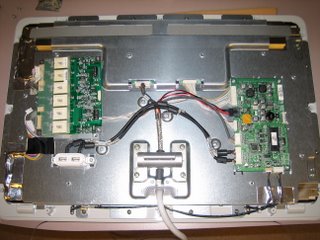
In swapping out the cards, I found that the side with the 4 connectors, the replacement board has each connector, in both sets of 2, swapped. Not tough to figure out, except that the existing tape will need to be removed and reapplied. Here's a picture of the old board after connectors and screws were removed:
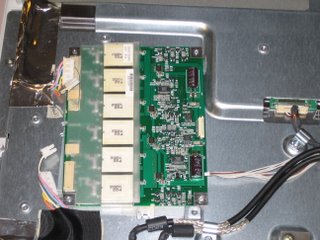
And a picture of the replacement board before attaching the cables and screws:
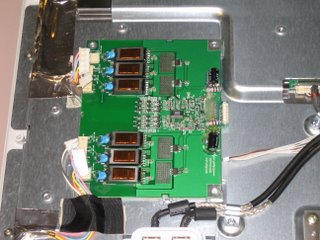
Oh and since we're on the subject of the existing tape, I found this underneath one of the pieces of tape when removing the original board:

Pretty groady. I wonder if this was on there while the display was originally being assembled. I find it hard to believe if it got in there during normal usage. And, I do doubt that this was the cause of my backlight problem, but you always wonder don't do you?
Finally, after putting everything back together, I forgot that ADC connectors would work best when the machine is rebooted and not if they are hot-swapped. Otherwise, you might get this:
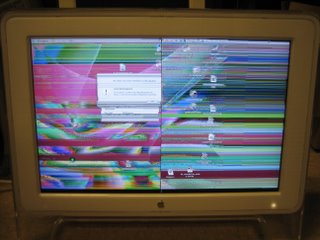
Good luck and feel free to leave a comment if you have further questions.
Owners of Apple Cinema displays know that they are generally purchased at a premium compared to other brands. It's tough to let go of a monitor that you spent so much of your hard-earned cash on. This is a post on how to fix one problem that seems to have plagued many of the 17 and 20" owners.
A gentleman by the name of Bill Catambay was kind enough to share his experiences online. As a result, I will not try to completely recreate my own experience. You can see his post above. I will, however, share with you a couple things that I found in repairing the 20" Cinema Display on my desk. Before I start, here's a quick excerpt from Bill's site:
This article is meant for any owner of an Apple 17" LCD Studio Display (or possibly other LCD displays). Specifically, it is a discussion related to a known problem with the display involving the backlight inverter. Before my display suffered the problem, I never even heard of a backlight inverter. Understanding the symptoms is the first step in deciding whether you have any need to learn what a backlight inverter is (let alone how to replace one).
In opening up my display, there's a few more screws but the idea is the same on Bill's site. What I found helpful was that I didn't need to take off the tape strips once the covers had been removed. You could get at the two screws holding the final mesh panel down just by flipping the tape up just a tad. Here's a picture of the display after getting down to the guts:
In swapping out the cards, I found that the side with the 4 connectors, the replacement board has each connector, in both sets of 2, swapped. Not tough to figure out, except that the existing tape will need to be removed and reapplied. Here's a picture of the old board after connectors and screws were removed:
And a picture of the replacement board before attaching the cables and screws:
Oh and since we're on the subject of the existing tape, I found this underneath one of the pieces of tape when removing the original board:

Pretty groady. I wonder if this was on there while the display was originally being assembled. I find it hard to believe if it got in there during normal usage. And, I do doubt that this was the cause of my backlight problem, but you always wonder don't do you?
Finally, after putting everything back together, I forgot that ADC connectors would work best when the machine is rebooted and not if they are hot-swapped. Otherwise, you might get this:

Good luck and feel free to leave a comment if you have further questions.
Thursday, May 18, 2006
TIPS & TRICKS: Nextel SIM Check
To check the SIM number with the phone on, hit the following:
1. #
2. *
3. Menu button
4. Right arrow button
1. #
2. *
3. Menu button
4. Right arrow button
Monday, May 08, 2006
TIPS & TRICKS: Using Sysprep and Ghost to Clone Windows XP Installs
I've created images countless times for my machines. However, I've never been able to successfully create an image using Microsoft's Sysprep and Symantec's Ghost, though the Ghost part of it works fine. Here are some of the problems I've run into along the way:
- After customizing user profiles and copying/applying to Default User, running Sysprep negates all of those customized settings and applies to all users the settings in the Administrator's Profile (something I don't want).
- Though I use a VLA license and check the box in the Sysprep window to "Skip activation", the setup still calls for me to enter a product key
- Sysprep continues to install factory icons (i.e. Tour Windows XP, Windows Media Player, etc.) for each new profile created, even though I customized the Default User to not have it. This could be related to Sysprep ignoring the customized Default User profile I created before running Sysprep or it could be some other setting in Windows that scripts in those icons. If so, anyone have any idea how to modify it?
Microsoft Hotfix: http://support.microsoft.com/kb/887816
Just ran the hotfix and it didn't seem to work. However, I ran the hotfix first then created Default User profile.
Just discovered that Sysprep with the hotfix works when using the mini-setup option. I've started to customize a sysprep.inf file for a fully automated install.
The sysprep.inf file works great, including automatically inputting in the license key, which also skips the activation process typically needed. My sysprep.inf file also adds the machine to our AD forest. I do end up having to go back into the machine and changing the computer name after it's been added to the AD, but that's a small step compared to having to go through the entire mini-setup.
- After customizing user profiles and copying/applying to Default User, running Sysprep negates all of those customized settings and applies to all users the settings in the Administrator's Profile (something I don't want).
- Though I use a VLA license and check the box in the Sysprep window to "Skip activation", the setup still calls for me to enter a product key
- Sysprep continues to install factory icons (i.e. Tour Windows XP, Windows Media Player, etc.) for each new profile created, even though I customized the Default User to not have it. This could be related to Sysprep ignoring the customized Default User profile I created before running Sysprep or it could be some other setting in Windows that scripts in those icons. If so, anyone have any idea how to modify it?
Microsoft Hotfix: http://support.microsoft.com/kb/887816
Just ran the hotfix and it didn't seem to work. However, I ran the hotfix first then created Default User profile.
Just discovered that Sysprep with the hotfix works when using the mini-setup option. I've started to customize a sysprep.inf file for a fully automated install.
The sysprep.inf file works great, including automatically inputting in the license key, which also skips the activation process typically needed. My sysprep.inf file also adds the machine to our AD forest. I do end up having to go back into the machine and changing the computer name after it's been added to the AD, but that's a small step compared to having to go through the entire mini-setup.
Wednesday, May 03, 2006
TIPS & TRICKS: Getting Palm User to Sync with Exchange on a Machine without Admin Access
Ran into trouble yesterday trying to figure out why a user of mine with a Palm m505 couldn't sync properly with her machine. When I originally installed her Palm Desktop 4.02, I didn't have a problem syncing and also tested as her and it worked beautifully. It turned out to be a 2 part problem.
First, her profile would not recognize the cradle as being plugged in via USB. When I right-clicked on the Hotsync icon in the taskbar tray, only Local Serial showed. I proceeded to try to reinstall the Palm Desktop software and conduits using the Run As command, since the user does not have admin access to install software. That seemed to work, until I rebooted and retested. Before the reboot, the Local USB option showed up. After rebooting, the Local USB option disappeared again.
Next, I tried to reinstall the software under my own profile. Again, the Local USB option came back after the reinstall. It also remained after rebooting. However, logging into her limited access profile yielded the same problematic result. The Local USB option would not stay.
Then I noticed that the driver that Windows needs to recognize the cradle was being installed into the System32 folder. That gave me the idea of enabling her account as admin. I installed the software again under her profile, this time with her as admin. Local USB showed up again and also remained after reboot. Success...or so I thought.
After removing her admin access, I got a new error message involving the software's inability to link the categories of data between the Palm and Outlook/Exchange. Great! If it's not one thing, it's another. Nevertheless, I did manage to keep the Local USB option from disappearing.
The second part of the problem, stumped me for awhile, until I realized that the when her user account had admin access, everything worked flawlessly. That brought me to thinking that something needed access that she couldn't provide as a limited user. This version of the Palm Desktop software installs its necessary software outside of the standard Program Files folder. It creates a Palm folder at the root of C and gets everything it needs from there during syncing. I decided to give her full access to that folder, whether she's admin or not. Then, voila, the error message took care of itself.
So to sum up, the Palm Desktop software should be installed as the user who's going to use it if they are not going to be admin. It should be installed by switching the limited user to admin, install the software, then switching them back to limited user. Then give them full access to the Palm folder, which will work without having to pass permissions all the way through the folder.
Note: Most times, I just installed the software on top of the existing software. I did try once to remove the software first, reboot, and then try to install the software from scratch. None of this made a difference.
First, her profile would not recognize the cradle as being plugged in via USB. When I right-clicked on the Hotsync icon in the taskbar tray, only Local Serial showed. I proceeded to try to reinstall the Palm Desktop software and conduits using the Run As command, since the user does not have admin access to install software. That seemed to work, until I rebooted and retested. Before the reboot, the Local USB option showed up. After rebooting, the Local USB option disappeared again.
Next, I tried to reinstall the software under my own profile. Again, the Local USB option came back after the reinstall. It also remained after rebooting. However, logging into her limited access profile yielded the same problematic result. The Local USB option would not stay.
Then I noticed that the driver that Windows needs to recognize the cradle was being installed into the System32 folder. That gave me the idea of enabling her account as admin. I installed the software again under her profile, this time with her as admin. Local USB showed up again and also remained after reboot. Success...or so I thought.
After removing her admin access, I got a new error message involving the software's inability to link the categories of data between the Palm and Outlook/Exchange. Great! If it's not one thing, it's another. Nevertheless, I did manage to keep the Local USB option from disappearing.
The second part of the problem, stumped me for awhile, until I realized that the when her user account had admin access, everything worked flawlessly. That brought me to thinking that something needed access that she couldn't provide as a limited user. This version of the Palm Desktop software installs its necessary software outside of the standard Program Files folder. It creates a Palm folder at the root of C and gets everything it needs from there during syncing. I decided to give her full access to that folder, whether she's admin or not. Then, voila, the error message took care of itself.
So to sum up, the Palm Desktop software should be installed as the user who's going to use it if they are not going to be admin. It should be installed by switching the limited user to admin, install the software, then switching them back to limited user. Then give them full access to the Palm folder, which will work without having to pass permissions all the way through the folder.
Note: Most times, I just installed the software on top of the existing software. I did try once to remove the software first, reboot, and then try to install the software from scratch. None of this made a difference.
Saturday, April 29, 2006
Friday, April 14, 2006
TIPS & TRICKS: Entourage Help Page
mvps.org: The Entourage Help Page
Stumbled upon a helpful page explaining error messages for Entourage. Very helpful to be able to have a fairly comprehensive list of error codes, since Microsoft doesn't seem to provide one directly. I happened upon this because I was helping a client look for Error 5553.
Stumbled upon a helpful page explaining error messages for Entourage. Very helpful to be able to have a fairly comprehensive list of error codes, since Microsoft doesn't seem to provide one directly. I happened upon this because I was helping a client look for Error 5553.
TIPS & TRICKS: How to shade every other row in Excel
microsoft.com: How to use conditional formatting to shade every other row in Excel
So often in Excel, I find that I need to create a spreadsheet that has many rows of information that requires a bit more legibility. Of course, I've seen pages where every other row of the spreadsheet is highlighted or shaded to make it easier to read. You could just go to each row and highlight by hand, but if you have pages and pages of data, this isn't very efficient. After all, we are in the age of automation. I'm not quite sure why Microsoft didn't build this feature into a more usable feature within Excels Format menu, but at least they gave us a way to do it.
In a nutshell:
- On the Format menu, click Conditional Formatting.
- Under Condition 1, select Formula Is.
- In the data entry box, type =MOD(ROW(),2)=1.
- Click the Format button. In the Format Cells dialog box, click the Patterns tab.
- Select a readable color, and then click OK.
- In the Conditional Formatting dialog box, click OK.
You may need to tweak it to your needs, but this is the basic way to do it.
For you people who don't mind doing a little programming in Visual Basic to create a macro:
http://support.microsoft.com/kb/213616/
Happy shading.
So often in Excel, I find that I need to create a spreadsheet that has many rows of information that requires a bit more legibility. Of course, I've seen pages where every other row of the spreadsheet is highlighted or shaded to make it easier to read. You could just go to each row and highlight by hand, but if you have pages and pages of data, this isn't very efficient. After all, we are in the age of automation. I'm not quite sure why Microsoft didn't build this feature into a more usable feature within Excels Format menu, but at least they gave us a way to do it.
In a nutshell:
- On the Format menu, click Conditional Formatting.
- Under Condition 1, select Formula Is.
- In the data entry box, type =MOD(ROW(),2)=1.
- Click the Format button. In the Format Cells dialog box, click the Patterns tab.
- Select a readable color, and then click OK.
- In the Conditional Formatting dialog box, click OK.
You may need to tweak it to your needs, but this is the basic way to do it.
For you people who don't mind doing a little programming in Visual Basic to create a macro:
http://support.microsoft.com/kb/213616/
Happy shading.
Thursday, April 13, 2006
TIPS & TRICKS: Adding A Network Printer For All Users
members.shaw.ca/bsanders/NetPrinterAllUsers.htm: Adding A Network Printer For All Users
Dilemma for me. I don't want to give all my users any sort of admin access to their machines. At the same time, I want them to be able to add new network printers without having me log in for them as admin to install the new driver once.
Three solutions. One, give users access to the location where printer drivers are stored (\WINDOWS\system32\spool\drivers\w32x86\3), which would open up another security hole. Or, two, push out the driver to all machines remotely, which should then allow the user to add the network printer without having to access the directory for drivers. Finally, three, install the printer for all users on each machine, which could also be done remotely by script.
To me, the second option seems to be the most secure. I definitely don't want to give user access to a system32 directory. I also don't want all users to have access to printer, even though we already have printer accounting in place. No need to give users more than they need. It usually results in more questions, at least in my current environment. Pushing out the print driver seems to be the best solution. Now, how to push out the driver?
Dilemma for me. I don't want to give all my users any sort of admin access to their machines. At the same time, I want them to be able to add new network printers without having me log in for them as admin to install the new driver once.
Three solutions. One, give users access to the location where printer drivers are stored (\WINDOWS\system32\spool\drivers\w32x86\3), which would open up another security hole. Or, two, push out the driver to all machines remotely, which should then allow the user to add the network printer without having to access the directory for drivers. Finally, three, install the printer for all users on each machine, which could also be done remotely by script.
To me, the second option seems to be the most secure. I definitely don't want to give user access to a system32 directory. I also don't want all users to have access to printer, even though we already have printer accounting in place. No need to give users more than they need. It usually results in more questions, at least in my current environment. Pushing out the print driver seems to be the best solution. Now, how to push out the driver?
Saturday, April 08, 2006
Thursday, April 06, 2006
TIPS & TRICKS: IE Window Address Bar Spoofing
secunia.com: Internet Explorer Window Loading Race Condition Address Bar Spoofing
I believe this was reported on before. However, considering what it can do, I thought it pertinent to post it this time around.
Basically, if you clicked on a link to go to a website, say google.com, you would expect Google to be the site where you would be directed. However, what if the text that you saw in the URL doesn't actually match the site that shows? As we all know, just merely visting a website (without clicking on anything after the website loads) could infect your machine with all kinds of malware (i.e. spyware, viruses, etc.). If you clicked on something that you thought was taking you to Google, and the web page that comes up looks like Google (I mean how hard is it to copy what the Google page looks like?) but really has some malicious code behind it, the machine would be infected instantly. Scary.
What do I do? I frequently type in my own URL's and stay away from sites that aren't safe. Then you ask what's safe and not safe. Well, the easiest things to stay away from are links that friends or acquaintances send you to "check out this cool thing." Those tend to be to lesser known sites that may or may not be safe. Two things to do if you really want to click on it. Look at the text for the link and type in the URL yourself (i.e. cnn.com) and find ths story yourself. You might say, what a hassle! But consider it like putting a lock/alarm on your house or car. You wouldn't just leave your house unlocked and go on vacation for 2 weeks would you?
Second thing you could do is go to a computer that you don't care about getting infected that isn't on your network or you could remove quickly. This, of course, isn't very practical for many folks, but hey, it is another option.
Stay virtually safe...
I believe this was reported on before. However, considering what it can do, I thought it pertinent to post it this time around.
Basically, if you clicked on a link to go to a website, say google.com, you would expect Google to be the site where you would be directed. However, what if the text that you saw in the URL doesn't actually match the site that shows? As we all know, just merely visting a website (without clicking on anything after the website loads) could infect your machine with all kinds of malware (i.e. spyware, viruses, etc.). If you clicked on something that you thought was taking you to Google, and the web page that comes up looks like Google (I mean how hard is it to copy what the Google page looks like?) but really has some malicious code behind it, the machine would be infected instantly. Scary.
What do I do? I frequently type in my own URL's and stay away from sites that aren't safe. Then you ask what's safe and not safe. Well, the easiest things to stay away from are links that friends or acquaintances send you to "check out this cool thing." Those tend to be to lesser known sites that may or may not be safe. Two things to do if you really want to click on it. Look at the text for the link and type in the URL yourself (i.e. cnn.com) and find ths story yourself. You might say, what a hassle! But consider it like putting a lock/alarm on your house or car. You wouldn't just leave your house unlocked and go on vacation for 2 weeks would you?
Second thing you could do is go to a computer that you don't care about getting infected that isn't on your network or you could remove quickly. This, of course, isn't very practical for many folks, but hey, it is another option.
Stay virtually safe...
Tuesday, March 21, 2006
RAVE: Article on OS X Sudo vs. Root
linuxboxadmin.com: OS X Sudo vs. Root: The Real Story
This is a well written, yet fairly simple to understand, article on the differences between the sudo and root in OS X. I especially appreciated some of the useful tips on securing the root account and which situations lend themselves to a better use of each account. As a new user to the unix world, it's nice to not have to wade through a ton of reference material to find what you need to know about the subject.
This is a well written, yet fairly simple to understand, article on the differences between the sudo and root in OS X. I especially appreciated some of the useful tips on securing the root account and which situations lend themselves to a better use of each account. As a new user to the unix world, it's nice to not have to wade through a ton of reference material to find what you need to know about the subject.
Thursday, February 02, 2006
TIPS & TRICKS: Restoring Quick Launch Icon for Show Desktop
Method 1:
Click Start, Run and type the command regsvr32 /n /i:U shell32
The Show Desktop SCF file should now be available. If you don't see it, it should appear after a reboot.
Method 2:
Click Start, Run, and type Notepad. Type the following contents into the document.
[Shell]
Command=2
IconFile=explorer.exe,3
[Taskbar]
Command=ToggleDesktop
Save the file as "ShowDesktop.SCF" [with double-quotes]. Drag the file to the Quick Launch area. If you're like me and like to keep things neat, make sure to save the file in a location where it won't be in your way. Dragging the newly created icon to the desktop Quick Launch area will only create a shortcut to the actual file. If you delete the original file you saved, the shortcut will no longer work.
Method 3:
Search for the file named Show Desktop.scf in your computer by logging in as administrator. Every user profile has a copy of this file. Copy it to your user profile path here:
%Appdata%\Microsoft\Internet Explorer\Quick Launch
Type the above path in Start, Run dialog.
Click Start, Run and type the command regsvr32 /n /i:U shell32
The Show Desktop SCF file should now be available. If you don't see it, it should appear after a reboot.
Method 2:
Click Start, Run, and type Notepad. Type the following contents into the document.
[Shell]
Command=2
IconFile=explorer.exe,3
[Taskbar]
Command=ToggleDesktop
Save the file as "ShowDesktop.SCF" [with double-quotes]. Drag the file to the Quick Launch area. If you're like me and like to keep things neat, make sure to save the file in a location where it won't be in your way. Dragging the newly created icon to the desktop Quick Launch area will only create a shortcut to the actual file. If you delete the original file you saved, the shortcut will no longer work.
Method 3:
Search for the file named Show Desktop.scf in your computer by logging in as administrator. Every user profile has a copy of this file. Copy it to your user profile path here:
%Appdata%\Microsoft\Internet Explorer\Quick Launch
Type the above path in Start, Run dialog.
TIPS & TRICKS - Problems with track changes and commenting in Word
google.com generated HTML page: Tip - Tracked Changes in Microsoft Word 2003
Someone had a resumé in Word format the other day and wanted to create a PDF file out of it. We tried the create PDF button in Word, we tried the standard File > Print to Adobe PDF method. Neither worked. As soon as the process starts, it just hangs and never gets completed.
The user knew enough to show me that the document contained a lot of comments and other tracked changes. As a result, we decided to try and recreate the document and strip out all the excess content. The copy and paste method only brought the same content over in a new Word file. We wanted to try to resave the original document as a RTF (rich text format), which would also strip it of all but necessary content. That produced the same result as attempting to create the PDF file. It just hung.
From the link above, we learned could accept all the changes. We didn't want to reject because it would undo the most recent changes, which was what we wanted to keep. After accepting all the changes, all the commenting went away and we were finally able to save the file as a RTF to strip it of all the extraneous content. Success!
Someone had a resumé in Word format the other day and wanted to create a PDF file out of it. We tried the create PDF button in Word, we tried the standard File > Print to Adobe PDF method. Neither worked. As soon as the process starts, it just hangs and never gets completed.
The user knew enough to show me that the document contained a lot of comments and other tracked changes. As a result, we decided to try and recreate the document and strip out all the excess content. The copy and paste method only brought the same content over in a new Word file. We wanted to try to resave the original document as a RTF (rich text format), which would also strip it of all but necessary content. That produced the same result as attempting to create the PDF file. It just hung.
From the link above, we learned could accept all the changes. We didn't want to reject because it would undo the most recent changes, which was what we wanted to keep. After accepting all the changes, all the commenting went away and we were finally able to save the file as a RTF to strip it of all the extraneous content. Success!
Friday, January 27, 2006
TIPS & TRICKS: Default web browser in Eudora
Such a simple procedure, but alluded me for the longest time. A user on a Mac OS X would click on a link in her Eudora email and it would want to launch Classic and try to open a web browser in Classic. To change this behavior:
Happy Computing...
- Hold down the option key
- Double-click a link in an email message
- Eudora will ask you which browser you want to use
- Navigate to your Applications folder (or any other folder that contains desired browser)
- Choose your web browser (i.e Safari, Firefox, etc.)
Happy Computing...
Wednesday, January 25, 2006
TIPS & TRICKS: Changing File Permissions in OS X
The other day, I was loading Microsoft Office 2004 onto a new Mac. I was using the drag-and-drop method of installing, since the launcher was not functioning properly. For a single user of the machine, this works fine. However, when additional users are introduced, problems of accessing the Office programs begin to arise.
When only one user is on the machine, the drag-and-drop method of installation is used, and another user is freshly created, then the programs seem to work. The problem is after a new user is introduced, installing (or reinstalling) Office, and this may be true for other programs installed using drag-and-drop, will only work for the user who installed it, since the folder assumes the permissions of the user who installed it.
Fortunately, harnessing the power of Unix in OS X can help you, as it did me. The first thing is that using the GUI interface (Get Info) to change permissions works fine for the read/write/execute permissions, but not at all for the ownership/groups. This is where the following Unix commands come into play using the OS X Terminal Window:
chown username filename
chgrp groupname filename
In both cases, the -R (for recursive or applies to all files/folders in or below this level) switch can be used immediately following the command and the filename can be enclosed in quotation marks (i.e. chown -R andrew "wordfile.txt").
If you don't ordinarily use the command line, this will sound foreign to you. Feel free to ask questions.
Updated 4/29/2006:
chmod is a command that modifies Read, Write, and Execute permissions for 3 categories of users. The categories of users are
1. User
2. Group
3. Others
And, the are always assigned in that order.
In the Unix world, Read, Write, and Execute permissions can be assigned with numeric values:
Read = 4
Write = 2
Execute = 1
Using these numerical values, permissions for each category of users can be assigned a total value that corresponds with each permission. For example, if we want the User to have Read, Write, and Execute; the Group to have Read, Write, and Execute; and Others to have Read only, the numerical value would be 774 (User = 4+2+1, Group = 4+2+1, Others = 4).
I.E. chmod -R 774 Microsoft\ Office\ 2004
When only one user is on the machine, the drag-and-drop method of installation is used, and another user is freshly created, then the programs seem to work. The problem is after a new user is introduced, installing (or reinstalling) Office, and this may be true for other programs installed using drag-and-drop, will only work for the user who installed it, since the folder assumes the permissions of the user who installed it.
Fortunately, harnessing the power of Unix in OS X can help you, as it did me. The first thing is that using the GUI interface (Get Info) to change permissions works fine for the read/write/execute permissions, but not at all for the ownership/groups. This is where the following Unix commands come into play using the OS X Terminal Window:
chown username filename
chgrp groupname filename
In both cases, the -R (for recursive or applies to all files/folders in or below this level) switch can be used immediately following the command and the filename can be enclosed in quotation marks (i.e. chown -R andrew "wordfile.txt").
If you don't ordinarily use the command line, this will sound foreign to you. Feel free to ask questions.
Updated 4/29/2006:
chmod is a command that modifies Read, Write, and Execute permissions for 3 categories of users. The categories of users are
1. User
2. Group
3. Others
And, the are always assigned in that order.
In the Unix world, Read, Write, and Execute permissions can be assigned with numeric values:
Read = 4
Write = 2
Execute = 1
Using these numerical values, permissions for each category of users can be assigned a total value that corresponds with each permission. For example, if we want the User to have Read, Write, and Execute; the Group to have Read, Write, and Execute; and Others to have Read only, the numerical value would be 774 (User = 4+2+1, Group = 4+2+1, Others = 4).
I.E. chmod -R 774 Microsoft\ Office\ 2004
TIPS & TRICKS: Locate Link Browser
Yesterday, someone complained that when they clicked on a link within an email in Outlook it opens up a window that prompts them to "Locate Link Browser". Here's a couple ways to fix it:
Method 1:
With the "Locate Link Browser" window up, browse your way to Program Files\Internet Explorer\iexplore.exe and use iexplore.exe as the program to launch. Your links after this should now open in Internet Explorer. Since I haven't yet discovered what causes Windows to "forget" what program to use when clicking on a link, I can't say for sure that this is a permanent fix. If this doesn't stick, try Method 2:
Method 2 (courtesy of MJB at annoyances.org):
Either way, I hope someone finds this useful and helps you deal with your frustration of not having the computer work as you expect it to.
Method 1:
With the "Locate Link Browser" window up, browse your way to Program Files\Internet Explorer\iexplore.exe and use iexplore.exe as the program to launch. Your links after this should now open in Internet Explorer. Since I haven't yet discovered what causes Windows to "forget" what program to use when clicking on a link, I can't say for sure that this is a permanent fix. If this doesn't stick, try Method 2:
Method 2 (courtesy of MJB at annoyances.org):
Go to Control Panel > Folder Options > File Types tab
Scroll down to the URL:Hypertext Transfer Protocols
Click Advanced
Click Edit
Make sure the following is in the application used to perform action box:
”C:\PROGRAM FILES\INTERNET EXPLORER\iexplore.exe” -nohome
The same applies for URL:Gopher
DDE should be set to: “%1”,,-1,0,,,,
Application should say: IExplore
DDE application not running should be blank
Topic should be: WWW_OpenURL
Run each line individually.
Start – Run then type
regsvr32 Urlmon.dll
regsvr32 Shdocvw.dll
regsvr32 Shell32.dll
regsvr32 Oleaut32.dll
regsvr32 Actxprxy.dll
regsvr32 Mshtml.dll
If this does not work try System File Checker
Start – Run then type
sfc /scannow (note the space) have your XP CD handy this time as you may
be prompted for it.
Either way, I hope someone finds this useful and helps you deal with your frustration of not having the computer work as you expect it to.
Thursday, November 03, 2005
TIPS & TRICKS: Getting rid of Sony's DRM rootkit
sysinternals.com: Mark's Sysinternals Blog: Sony, Rootkits and Digital Rights Management Gone Too Far
If you're interested in zapping the Sony DRM...
If you're interested in zapping the Sony DRM...
NEWS: Sony DRM in the form of rootkits
blogs.siliconvalley.com: Sony reconsiders policy on hiring 'reformed' hackers
Sony is not playing well with consumers these days.
Sony is not playing well with consumers these days.
Thursday, October 27, 2005
NEWS: iPod to store medical images
cnn.com: 'I use my iPod to store medical images'
It seems that when people are excited enough about a technology, they'll find new uses for it, beyond what it was originally designed for. Next time you walk into your doctor's office, don't be surprised to see a set of white headphones trailing closely behind.
It seems that when people are excited enough about a technology, they'll find new uses for it, beyond what it was originally designed for. Next time you walk into your doctor's office, don't be surprised to see a set of white headphones trailing closely behind.
Thursday, October 20, 2005
TIPS & TRICKS: Multiple Routers
Every so often, I come across an idea that makes me wonder "Why didn't I think of that before?" On my way into work today, I was listening to a podcast by Steve Gibson called Security Now!. The topic was the importance of using routers with your DSL or cable connections. Many people have this layer of security in their network already. However, the interesting tidbit was actually using multiple routers to create different zones of your network. This is especially important these days because many households will have multiple computers and need different levels of security.
You can read more about it from a link I got from the podcast:
http://www.grc.com/nat/nat.htm
You can read more about it from a link I got from the podcast:
http://www.grc.com/nat/nat.htm
Tuesday, October 04, 2005
TIPS & TRICKS: BSOD's
Given the advancement of Windows in recent years, I don't tend to see as many blue screens any more. Under normal operating situations, Windows has become much more stable relative to previous versions. Nevertheless, blue screens have not completely gone away. Here's a case in point:
Last night I spent some time on the phone with a client on troubleshooting the cause of their blue screen problem. For those of you wondering "What's a blue screen?", a blue screen is, generally, a serious problem with the computer that is evidenced by a blue screen and white writing. Usually, the writing has some cryptic messages that allude to what the possible problem, though they are usually undecipherable by the normal user. There might be information pertaining to some sort of physical memory dump, which was the case last night.
As I was going through the possible reasons why a blue screen would occur, I thought to myself, wouldn't it be great if this were listed somewhere for people to find. Here are the basic steps that I took last night. Since I was only on the phone with them, they came in the form of questions:
1. Did you recently install any new hardware (i.e RAM, video card, USB device, replacement HD, etc.)?
2. Did you recently install any new software (i.e. new Adobe Acrobat reader, new plug-in from a website, freeware, etc.)?
3. Did you start using any software installed before that was not previously used until recently?
Often times, hardware vendors will now include hardware utilities that scan the machine's components for problems. My client last night was working on a Dell. Recent Dell machines will include a boot partition that includes such a utility. I instructed him on how to get to that utility and run it to test for hardware problems.
In my experience, a good percentage of the time, these steps will usually take you to the solution. However, there may be times when this is not enough. This will require that you want to make sure that you have the information from the blue screen copied down for further research, either by you or your friendly neighborhood computer tech.
As a side note, my client also had a problem with a Eudora install and losing sent messages. We haven't come up with a definitive answer as to whether these two were related events, but I tend to like to keep events separate and troubleshoot as such until I find evidence that supports otherwise. His problem may have been with an installation of Mcafee Security Center corrupting the mailboxes. Fortunately, we were able to recover the files because Eudora was smart enough to create backup mailboxes.
Last night I spent some time on the phone with a client on troubleshooting the cause of their blue screen problem. For those of you wondering "What's a blue screen?", a blue screen is, generally, a serious problem with the computer that is evidenced by a blue screen and white writing. Usually, the writing has some cryptic messages that allude to what the possible problem, though they are usually undecipherable by the normal user. There might be information pertaining to some sort of physical memory dump, which was the case last night.
As I was going through the possible reasons why a blue screen would occur, I thought to myself, wouldn't it be great if this were listed somewhere for people to find. Here are the basic steps that I took last night. Since I was only on the phone with them, they came in the form of questions:
1. Did you recently install any new hardware (i.e RAM, video card, USB device, replacement HD, etc.)?
2. Did you recently install any new software (i.e. new Adobe Acrobat reader, new plug-in from a website, freeware, etc.)?
3. Did you start using any software installed before that was not previously used until recently?
Often times, hardware vendors will now include hardware utilities that scan the machine's components for problems. My client last night was working on a Dell. Recent Dell machines will include a boot partition that includes such a utility. I instructed him on how to get to that utility and run it to test for hardware problems.
In my experience, a good percentage of the time, these steps will usually take you to the solution. However, there may be times when this is not enough. This will require that you want to make sure that you have the information from the blue screen copied down for further research, either by you or your friendly neighborhood computer tech.
As a side note, my client also had a problem with a Eudora install and losing sent messages. We haven't come up with a definitive answer as to whether these two were related events, but I tend to like to keep events separate and troubleshoot as such until I find evidence that supports otherwise. His problem may have been with an installation of Mcafee Security Center corrupting the mailboxes. Fortunately, we were able to recover the files because Eudora was smart enough to create backup mailboxes.
Thursday, September 15, 2005
NEWS: iPod Nano Review (NY Times)
nytimes.com: iPod's Law: The Impossible is Possible
If you haven't already heard. Apple released a new iPod. Innovation is becoming routine for Apple. Nevertheless, I have to try pretty hard to not run out and get one myself. It's already generated a lot of publicity, as shown by the NY Times link above. The interesting development is that the Nano is going to replace the Mini outright. This means if you're in the market for Mini, go get yours quick before they are all gone.
I don't usually find tech-related articles written in non-tech specific publications of much interest. However, I do appreciate the angle of this particular piece. Check out the NY Times article for some other interesting features that are unique to the Nano.
Are you going to get one?
If you haven't already heard. Apple released a new iPod. Innovation is becoming routine for Apple. Nevertheless, I have to try pretty hard to not run out and get one myself. It's already generated a lot of publicity, as shown by the NY Times link above. The interesting development is that the Nano is going to replace the Mini outright. This means if you're in the market for Mini, go get yours quick before they are all gone.
I don't usually find tech-related articles written in non-tech specific publications of much interest. However, I do appreciate the angle of this particular piece. Check out the NY Times article for some other interesting features that are unique to the Nano.
Are you going to get one?
Friday, August 12, 2005
TIPS & TRICKS: Changing Windows XP Product Key
windows.about.com: Changing Windows XP Product Key
At my day job, we're imaging a bunch of new machines that have consumer-level product keys for Windows XP. Since we don't want the end user to have problems with the new Microsoft Genuine Advantage checks on the Windows Update site, we want to make sure that the machine has the correct product key. Here's the gist of what needs to be done:
Start by changing one of the values of the Registry Key specified below to any number 0-9 or character A-F. Changing any character will do - it doesn't matter which one you change or what you change it to.
Hive: HKEY_LOCAL_MACHINE
Key: Software\Microsoft\WindowsNT\CurrentVersion\WPAEvents
Name: ODBETimer
Data Type: REG_BINARY
Value: just change one of the entries as mentioned above
What this will do is deactivate the copy of Windows. Now click Start, Run, and copy the following into the Run box:
%systemroot%\system32\oobe\msoobe /a
This launches the Product Activation Wizard. From there you can choose an option such as calling a Microsoft representative, and select the Change Product Key option. Enter your new product key, Update and close the Wizard and reboot (you may have to select Remind Me Later if the Wizard pops up again). When you reboot, follow the normal activation process which should work if you've entered a valid product key.
And, for the really efficient, here's a link to an executable that makes this process more manageable...
http://www.majorgeeks.com/download2745.html
At my day job, we're imaging a bunch of new machines that have consumer-level product keys for Windows XP. Since we don't want the end user to have problems with the new Microsoft Genuine Advantage checks on the Windows Update site, we want to make sure that the machine has the correct product key. Here's the gist of what needs to be done:
Start by changing one of the values of the Registry Key specified below to any number 0-9 or character A-F. Changing any character will do - it doesn't matter which one you change or what you change it to.
Hive: HKEY_LOCAL_MACHINE
Key: Software\Microsoft\WindowsNT\CurrentVersion\WPAEvents
Name: ODBETimer
Data Type: REG_BINARY
Value: just change one of the entries as mentioned above
What this will do is deactivate the copy of Windows. Now click Start, Run, and copy the following into the Run box:
%systemroot%\system32\oobe\msoobe /a
This launches the Product Activation Wizard. From there you can choose an option such as calling a Microsoft representative, and select the Change Product Key option. Enter your new product key, Update and close the Wizard and reboot (you may have to select Remind Me Later if the Wizard pops up again). When you reboot, follow the normal activation process which should work if you've entered a valid product key.
And, for the really efficient, here's a link to an executable that makes this process more manageable...
http://www.majorgeeks.com/download2745.html
TIPS & TRICKS: Extra line spaces in my signatures (Outlook)
office.microsoft.com: Stop putting extra line spaces in my signatures
If you've ever sent out email with a signature in Outlook and you end up seeing all the extra spaces between each line of your signature and you don't want it there. I've found you a solution. Here's the meat of the website above:
If your signature is double line spaced and you want it single line spaced, do the following:
* On the Tools menu, click Options.
* Click the Mail Format tab.
* Click Signatures.
* In the Signature box, select the signature that you want to modify, and then click Edit.
* Place the insertion point after the last character in the line.
* Press DELETE, and then press SHIFT ENTER.
* Repeat Steps 5 and 6 for each line of text.
* When you have finished with all lines, click OK three times.
If you've ever sent out email with a signature in Outlook and you end up seeing all the extra spaces between each line of your signature and you don't want it there. I've found you a solution. Here's the meat of the website above:
If your signature is double line spaced and you want it single line spaced, do the following:
* On the Tools menu, click Options.
* Click the Mail Format tab.
* Click Signatures.
* In the Signature box, select the signature that you want to modify, and then click Edit.
* Place the insertion point after the last character in the line.
* Press DELETE, and then press SHIFT ENTER.
* Repeat Steps 5 and 6 for each line of text.
* When you have finished with all lines, click OK three times.
Saturday, July 30, 2005
TIPS & TRICKS: DVD Shrink Burning Error Message (Bourne Supremacy)
forum.digital-digest.com: Burning Error message...
I was working on backing up a DVD (Bourne Supremacy) and kept running into a problem with DVD Shrink. I did my usual poking around and found this solution that seems to have worked (it's still encoding).
I've visited this site before and have found some helpful answers to some of my questions. Here's the useful exerpt:
"Ok here is the deal on how to get the The Bourne Supremacy backed up. Once you have picked what you want on your back up you will get a pop up box or menu. Choose the tab quality settings. At the bottom of that menu choose DVD Shrink 3.2 quality enhancements. Click on compress video with adaptive error compensation and your problem is solved. Note this process takes a while to complete so you might want to do this when you go to sleep at night or while you are at work. Once completed you will have complete back up with all menu's."
UPDATE: Here's more info from that website that may save even more time:
"use and older version of dvd shrink (dvd shrink 3.1). that running man will run for about 2 min. but it will backup the entire disc. or use dvd2one."
I was working on backing up a DVD (Bourne Supremacy) and kept running into a problem with DVD Shrink. I did my usual poking around and found this solution that seems to have worked (it's still encoding).
I've visited this site before and have found some helpful answers to some of my questions. Here's the useful exerpt:
"Ok here is the deal on how to get the The Bourne Supremacy backed up. Once you have picked what you want on your back up you will get a pop up box or menu. Choose the tab quality settings. At the bottom of that menu choose DVD Shrink 3.2 quality enhancements. Click on compress video with adaptive error compensation and your problem is solved. Note this process takes a while to complete so you might want to do this when you go to sleep at night or while you are at work. Once completed you will have complete back up with all menu's."
UPDATE: Here's more info from that website that may save even more time:
"use and older version of dvd shrink (dvd shrink 3.1). that running man will run for about 2 min. but it will backup the entire disc. or use dvd2one."
Thursday, July 28, 2005
TIPS & TRICKS: Microsoft "Genuine Advantage" Cracked
boingboing.net: Microsoft "Genuine Advantage" cracked in 24h
I am not condoning the use of illegal software. Since I haven't tested all versions of Windows (i.e. Retail, Education, VL, etc.), I would venture to guess that there will be people who will still run into problems even if they have a legitimate version of Windows. This is aimed at those people so that they can still get fully patched (Microsoft said that Security updates will still remain freely available) with all critical patches besides just the Security updates.
Here's the meat:
"Before pressing 'Custom' or 'Express' buttons paste this text to the address bar and press enter:
javascript:void(window.g_sDisableWGACheck='all')
It turns off the trigger for the key check."
Thinking on a grander scale, I would also imagine that if there weren't some level of piracy, I don't think Windows would have the acceptance it does now. Again, I don't condone piracy, but sometimes you have to wonder, if Windows was completely locked down from day one, what OS you and I would be using on our computers right now?
UPDATE (8/23/2005): I just had an opportunity to try this hack and it seems to not work. However, it was after several failed attempts, so I don't know if something was written to registry to not allow the hack to work.
I am not condoning the use of illegal software. Since I haven't tested all versions of Windows (i.e. Retail, Education, VL, etc.), I would venture to guess that there will be people who will still run into problems even if they have a legitimate version of Windows. This is aimed at those people so that they can still get fully patched (Microsoft said that Security updates will still remain freely available) with all critical patches besides just the Security updates.
Here's the meat:
"Before pressing 'Custom' or 'Express' buttons paste this text to the address bar and press enter:
javascript:void(window.g_sDisableWGACheck='all')
It turns off the trigger for the key check."
Thinking on a grander scale, I would also imagine that if there weren't some level of piracy, I don't think Windows would have the acceptance it does now. Again, I don't condone piracy, but sometimes you have to wonder, if Windows was completely locked down from day one, what OS you and I would be using on our computers right now?
UPDATE (8/23/2005): I just had an opportunity to try this hack and it seems to not work. However, it was after several failed attempts, so I don't know if something was written to registry to not allow the hack to work.
Tuesday, July 26, 2005
TIPS & TRICKS: "Acquiring Network Address"
NOTE: Modifying the registry, improperly, may cause your computer to crash, not boot, or otherwise malfunction. Take the following steps at your own risk. If you must do it, remember to backup, backup, and backup.
Symptoms:
* Constantly trying to acquire network address
* Never receiving an IP address
* Worked before
* Here's the clincher: Just uninstalled Norton Anti-Virus
Solution:
* Run 'regedit' and navigate to HKEY_LOCAL_MACHINE\SYSTEM\CurrentControlSet\Dhcp
* Edit the entry 'DependOnService'
* Remove the line that contains 'SYMTDI'
* Reboot
Analysis:
Norton AV wasn't completely removed. The service didn't get removed properly with the uninstall because it was still active. Therefore, after rebooting, the DHCP Client refused to start without the Norton AV service that no longer worked properly.
This has been verified for Windows XP Home Edition SP2, running Norton AV 2002.
These following steps may or may not help:
Reload TCP/IP in WinXP with this command: netsh int ip reset resetlog.txt
Reload Winsock services with this command: netsh winsock reset
Symptoms:
* Constantly trying to acquire network address
* Never receiving an IP address
* Worked before
* Here's the clincher: Just uninstalled Norton Anti-Virus
Solution:
* Run 'regedit' and navigate to HKEY_LOCAL_MACHINE\SYSTEM\CurrentControlSet\Dhcp
* Edit the entry 'DependOnService'
* Remove the line that contains 'SYMTDI'
* Reboot
Analysis:
Norton AV wasn't completely removed. The service didn't get removed properly with the uninstall because it was still active. Therefore, after rebooting, the DHCP Client refused to start without the Norton AV service that no longer worked properly.
This has been verified for Windows XP Home Edition SP2, running Norton AV 2002.
These following steps may or may not help:
Reload TCP/IP in WinXP with this command: netsh int ip reset resetlog.txt
Reload Winsock services with this command: netsh winsock reset
Monday, July 25, 2005
TIPS & TRICKS: Customize the Start Menu Button
Annoyances.org - Customize the Start Menu Button
If you've ever wondered how to customize that little Start button in Windows, here you go. Be forewarned. This is not for the basic user. Kids don't try this at home...
If you've ever wondered how to customize that little Start button in Windows, here you go. Be forewarned. This is not for the basic user. Kids don't try this at home...
Thursday, July 21, 2005
TIPS & TRICKS: How can I force GPO updates to take effect?
windowsitpro.com: How can I force GPO updates to take effect?
This is a more of a tip for things that I do on a regular basis. But feel free to use it as you need it. Here's the steps in a nutshell, without clicking to the website:
Policies are refreshed every 90 minutes (5 on DC's). To force a machine to update the policy use the SECEDIT command.
To update the computer policy type
C:\> secedit /refreshpolicy machine_policy
To update the user policy type
C:\> secedit /refreshpolicy user_policy
Adding /enforce to any of the above forces a reapply of the security policy even if there is no GPO change.
UPDATE: You'll find that running secedit on WinXP will tell you that the new and improved command replacement is gpupdate. In fact, if you don't mind that all Group Policies get updated in the process, run gpupdate by itself and the machine and user will refresh all the associated policies.
This is a more of a tip for things that I do on a regular basis. But feel free to use it as you need it. Here's the steps in a nutshell, without clicking to the website:
Policies are refreshed every 90 minutes (5 on DC's). To force a machine to update the policy use the SECEDIT command.
To update the computer policy type
C:\> secedit /refreshpolicy machine_policy
To update the user policy type
C:\> secedit /refreshpolicy user_policy
Adding /enforce to any of the above forces a reapply of the security policy even if there is no GPO change.
UPDATE: You'll find that running secedit on WinXP will tell you that the new and improved command replacement is gpupdate. In fact, if you don't mind that all Group Policies get updated in the process, run gpupdate by itself and the machine and user will refresh all the associated policies.
Saturday, July 16, 2005
TIPS & TRICKS: Typing Spanish Accented Characters
bowdoin.edu: Typing Spanish Accented Characters
I was just typing my Away Message in AIM and realized that I needed an "é" for the word "resumés". I know that both Windows and OS X have international keyboards built-in and I could have just as easily enabled the feature to be able to type the "é". However, I decided that I just wanted something fast that worked on any computer. Thus, I decided to find what's called ASCII code for the particular character. The webpage shows this code and how to use it (ALT+0233). It probably took me longer to find it than to install the international keyboard. But, I now know the ASCII code to use on any computer (with a numeric keypad) without having to install the international keyboard. Hopefully, this will help someone else save some time too.
Update: I forgot to mention that on a Mac, at least on OS X, all you need to do is hold the alt-option key down, hit the letter you want (i.e. any character that could be used with an accent mark), let go of the alt-option key and type the letter again. Also try typing any other key with the alt-option key held down, you'll get a plethora of special characters.
Updated 4/8/2006:
Ever seen this character?: Þ
I use this one quite a bit: •
There's a whole bunch of characters that many people don't use on a regular basis, that may come in handy. Do a web search for ASCII characters and you'll find a lots of websites that have lists of these special characters. For example, do you ever wonder how to make this letter: é ? There are keystrokes that will yield these special characters. Here's how to get the three I just mentioned:
Þ = ALT-0-2-5-4
• = ALT-0-1-4-9
é = ALT-0-2-3-3
Note: These codes will only work on a keyboard using the numerical 10 keypad on the right. They may also work on a laptop if the laptop keyboard has keys that double as a number pad if the numlock is enabled.
I was just typing my Away Message in AIM and realized that I needed an "é" for the word "resumés". I know that both Windows and OS X have international keyboards built-in and I could have just as easily enabled the feature to be able to type the "é". However, I decided that I just wanted something fast that worked on any computer. Thus, I decided to find what's called ASCII code for the particular character. The webpage shows this code and how to use it (ALT+0233). It probably took me longer to find it than to install the international keyboard. But, I now know the ASCII code to use on any computer (with a numeric keypad) without having to install the international keyboard. Hopefully, this will help someone else save some time too.
Update: I forgot to mention that on a Mac, at least on OS X, all you need to do is hold the alt-option key down, hit the letter you want (i.e. any character that could be used with an accent mark), let go of the alt-option key and type the letter again. Also try typing any other key with the alt-option key held down, you'll get a plethora of special characters.
Updated 4/8/2006:
Ever seen this character?: Þ
I use this one quite a bit: •
There's a whole bunch of characters that many people don't use on a regular basis, that may come in handy. Do a web search for ASCII characters and you'll find a lots of websites that have lists of these special characters. For example, do you ever wonder how to make this letter: é ? There are keystrokes that will yield these special characters. Here's how to get the three I just mentioned:
Þ = ALT-0-2-5-4
• = ALT-0-1-4-9
é = ALT-0-2-3-3
Note: These codes will only work on a keyboard using the numerical 10 keypad on the right. They may also work on a laptop if the laptop keyboard has keys that double as a number pad if the numlock is enabled.
Monday, June 13, 2005
TIPS & TRICKS: Restoring a Dell Machine Without Media
I've learned that Dell machines that have been (and all future ones, of course) shipped after July 2004 now have a hidden partition that contains an image of the factory restore. This means that if you need to do a restore of the machine to the original factory state, then you can do that with the BIOS command of CTRL-F11. This is, of course, assuming that your factory hard drive hasn't been reconfigured or reformatted to your own specs. NOTE: This will wipe your computer of all data, so make sure you have a backup of your important data.
Saturday, June 04, 2005
NEWS: Apple iPod Settlement
This settlement involves "All persons or entities residing in the United States who purchased or obtained a First, Second, or Third Generation iPod on or before May 31, 2004." If you are one of these people, this includes me too, please go here (http://www.appleipodsettlement.com/). Good luck.
NEWS: Defective Palm m100, m105, or m125's
If you've owned any of the PDA's listed, please read the following:
"If you owned a Palm personal digital assistant model m100, m105, or m125 ("Palm PDA") manufactured by palmOne, Inc. (formerly Palm, Inc.) ("Palm"), this notice may be important to you. A proposed settlement has been reached in a lawsuit in which plaintiff claims that: (a) the Palm PDAs may be defective in that they sometimes lose data during the process of replacing batteries even when the user follows Palm's recommended procedure; and (b) Palm allegedly communicated and/or failed to communicate and disclose certain facts and circumstances in connection with data loss."...
"1. The claim process and relief to Settlement Class Members
As part of the settlement, Palm has agreed to exchange, at Palm's expense, the Palm PDA of any owner who: (a) returns the allegedly defective Palm PDA; (b) provides a sworn statement that the owner lost data while replacing batteries in accordance with Palm's recommended battery replacement procedure; and (c) provides adequate claim documentation (as described in the Claim Form) and proof of membership in the class. The replacement unit will be a new or refurbished unit of the same or a higher model. Palm reserves the right to inspect any Palm PDA submitted as part of this settlement. If Palm's records or its inspection of the Palm PDA show that the cause of data loss during the battery exchange process is due to abuse, mishandling, or misuse of the Palm PDA, the claim may be denied."
For further information and how to submit your claim please go here (http://www.taylorsettlement.com/).
"If you owned a Palm personal digital assistant model m100, m105, or m125 ("Palm PDA") manufactured by palmOne, Inc. (formerly Palm, Inc.) ("Palm"), this notice may be important to you. A proposed settlement has been reached in a lawsuit in which plaintiff claims that: (a) the Palm PDAs may be defective in that they sometimes lose data during the process of replacing batteries even when the user follows Palm's recommended procedure; and (b) Palm allegedly communicated and/or failed to communicate and disclose certain facts and circumstances in connection with data loss."...
"1. The claim process and relief to Settlement Class Members
As part of the settlement, Palm has agreed to exchange, at Palm's expense, the Palm PDA of any owner who: (a) returns the allegedly defective Palm PDA; (b) provides a sworn statement that the owner lost data while replacing batteries in accordance with Palm's recommended battery replacement procedure; and (c) provides adequate claim documentation (as described in the Claim Form) and proof of membership in the class. The replacement unit will be a new or refurbished unit of the same or a higher model. Palm reserves the right to inspect any Palm PDA submitted as part of this settlement. If Palm's records or its inspection of the Palm PDA show that the cause of data loss during the battery exchange process is due to abuse, mishandling, or misuse of the Palm PDA, the claim may be denied."
For further information and how to submit your claim please go here (http://www.taylorsettlement.com/).
Tuesday, March 29, 2005
REVIEW: Kensington PilotMouse Mini Bluetooth
http://kensington.com/html/6367.html
Now this is a good travel mouse if you're looking for a bluetooth mouse for your built-in bluetooth-enabled laptop. It's got a switch at the bottom of it that allows for powering down the mouse when mobile. It's got nice rubber grips on the side of the mouse, without making it look ugly. It's optical and got a right and left mouse button (for all you Mac fans out there looking for a bluetooth mouse) along with the "can't go without it these days" scroll wheel, which also works as a 3rd middle button. These days so many mice have extra buttons for other uses and it would have been nice to have something extra on this one too. But, I think this might take away from the basic uses and design of this mouse.
To sum up, if you're looking for a bluetooth mouse that has all the "basic" uses of today's mouse and require something small enough to travel, yet large enough for you to not get carpal tunnel from one use of it, then this is your mouse.
Note: Still working with it and am planning on testing it with a Powerbook to see how well it works on a Mac.
Now this is a good travel mouse if you're looking for a bluetooth mouse for your built-in bluetooth-enabled laptop. It's got a switch at the bottom of it that allows for powering down the mouse when mobile. It's got nice rubber grips on the side of the mouse, without making it look ugly. It's optical and got a right and left mouse button (for all you Mac fans out there looking for a bluetooth mouse) along with the "can't go without it these days" scroll wheel, which also works as a 3rd middle button. These days so many mice have extra buttons for other uses and it would have been nice to have something extra on this one too. But, I think this might take away from the basic uses and design of this mouse.
To sum up, if you're looking for a bluetooth mouse that has all the "basic" uses of today's mouse and require something small enough to travel, yet large enough for you to not get carpal tunnel from one use of it, then this is your mouse.
Note: Still working with it and am planning on testing it with a Powerbook to see how well it works on a Mac.
TIPS & TRICKS: Losing connectivity? Have a Linksys box?
http://www.dondoucette.com/befsr41/
After having some trouble with my own Linksys box, I decided to do some research on why I was losing connectivity every so often. I came across this website. It talks about a different model than the one that I have. But, the internal problem could potentially effect all models, especially considering that the manufacturing process may be similar or identical across different models. At some point, I'd like to take mine apart and see if this is why I have intermittent loss of connectivity.
After having some trouble with my own Linksys box, I decided to do some research on why I was losing connectivity every so often. I came across this website. It talks about a different model than the one that I have. But, the internal problem could potentially effect all models, especially considering that the manufacturing process may be similar or identical across different models. At some point, I'd like to take mine apart and see if this is why I have intermittent loss of connectivity.
Tuesday, March 22, 2005
Thursday, March 17, 2005
REVIEW: Logitech® MX™900 Bluetooth® Optical Mouse
http://www.logitech.com/index.cfm/products/details/US/EN,CRID=2135,CONTENTID=7110
I just got my hands on one of these to test. So far, I've hooked it up with a Sony VGN-S270P Vaio laptop with built-in bluetooth. The pairing was simple enough. I went into Windows XP Control Panel and ran the bluetooth discovery utility. The Vaio and mouse paired up just fine without using a passkey. I then proceeded to test the reliability of the mouse from different computer states, including from a cold boot, from standby, and from just walking away for a few minutes and coming back. From cold boot and standby, the computer takes a couple extra seconds to connect to the mouse once the computer is completely booted up. Even from idle, it takes a split second to recognize the mouse movements. I've got a few more tests to run. I'll report more later...
UPDATE: This mouse works great...for desktops. If you're looking for a portable mouse to use with a laptop and you plan to travel with it often, then I would not use this mouse. The characteristics of stability and solidness comes from the size of this mouse. Yet, the size of this mouse also prevents it from being the light, portable mouse that it should be. Coupled with the lack of a switch to power it down, this is not a bluetooth mouse designed for travel.
I have also had a chance to try out the Kensington Bluetooth PilotMouse. Check it out what I have to say about it at the end of March.
I just got my hands on one of these to test. So far, I've hooked it up with a Sony VGN-S270P Vaio laptop with built-in bluetooth. The pairing was simple enough. I went into Windows XP Control Panel and ran the bluetooth discovery utility. The Vaio and mouse paired up just fine without using a passkey. I then proceeded to test the reliability of the mouse from different computer states, including from a cold boot, from standby, and from just walking away for a few minutes and coming back. From cold boot and standby, the computer takes a couple extra seconds to connect to the mouse once the computer is completely booted up. Even from idle, it takes a split second to recognize the mouse movements. I've got a few more tests to run. I'll report more later...
UPDATE: This mouse works great...for desktops. If you're looking for a portable mouse to use with a laptop and you plan to travel with it often, then I would not use this mouse. The characteristics of stability and solidness comes from the size of this mouse. Yet, the size of this mouse also prevents it from being the light, portable mouse that it should be. Coupled with the lack of a switch to power it down, this is not a bluetooth mouse designed for travel.
I have also had a chance to try out the Kensington Bluetooth PilotMouse. Check it out what I have to say about it at the end of March.
Tuesday, March 01, 2005
TIPS & TRICKS: Unplugging USB device without the system tray icon (keyboard shortcut)
For Windows XP:
%SystemRoot%\system32\rundll32.exe shell32.dll,Control_RunDLL hotplug.dll
You can build a shortcut on your desktop that you can use the keyboard to navigate to and eject your USB device. I came across this while working on a machine where the mouse was not available and needed a keyboard shortcut to eject my flash drive.
%SystemRoot%\system32\rundll32.exe shell32.dll,Control_RunDLL hotplug.dll
You can build a shortcut on your desktop that you can use the keyboard to navigate to and eject your USB device. I came across this while working on a machine where the mouse was not available and needed a keyboard shortcut to eject my flash drive.
Subscribe to:
Posts (Atom)